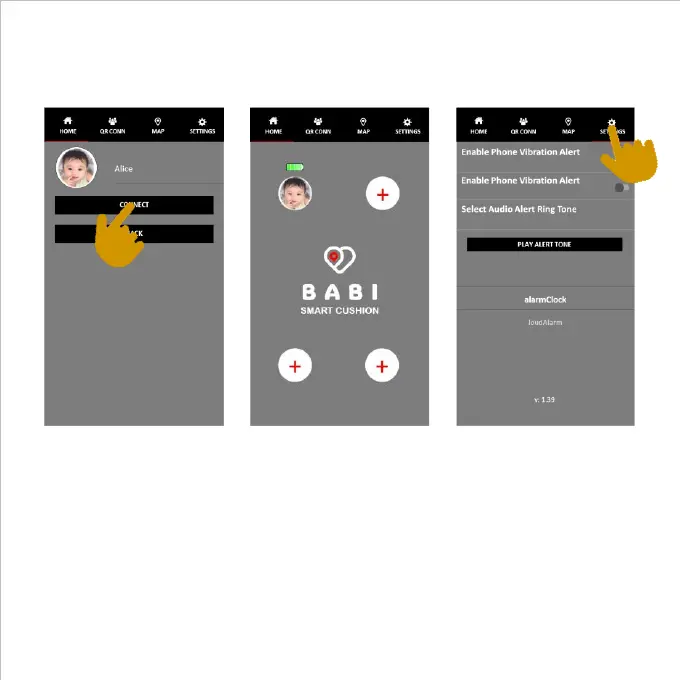
Press the connect bar in the App as shown below. This will connect the smart
cushion to the App. When the App is connected and paired with the smart
cushion there will be a longer beep sound to confirm the connection.
The infant’s photo and name will be displayed along with a battery charge level
indicator for the connected cushion. The battery charge indicator will change
color as battery charge lowers. When the battery is critically low this icon will
become red. Whenever the sounder sounds 4 times, it is an indication that the
battery needs replacing: also a notification will be shown if the phone screen is
off.
To complete the APP setup, press the Settings icon on top right corner here it is
possible to enable the vibration, the intermittent flashing light and to select a
preferred alarm tone.
5



 To Next Page