SELECTING PATTERNS TO EDIT
Embroidery Edit
167
6
SELECTING PATTERNS TO EDIT
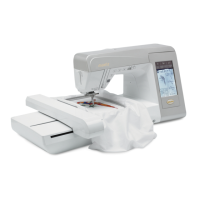
Attach the embroidery unit, prepare the machine for embroidering according to the instructions on page 120, and
then press to display the screen shown below.
One-
a Embroidery patterns
b Floral patterns
c Alphabet patterns
d Frame patterns
e Embroidery cards (sold separately)
f Patterns saved in the machine’s memory
(see page 158).
g Patterns saved in USB media (see page 159).
h Patterns saved on the computer (see page 160).
i Baby Lock Exclusive Embroidery Designs
Selecting Embroidery Patterns/Floral
Patterns/Frame Patterns/Baby Lock
Exclusive Embroidery Designs
a
Select an embroidery pattern.
* For details on selecting patterns, see page 125 and
page 126.
o The selected pattern is highlighted.
For details on the pattern selection screen, see page
124 or the “Quick Reference Guide”.
a
e
d
c
h
f
b
i
g


 To Next Page
 Loading...