EasyManua.ls Logo

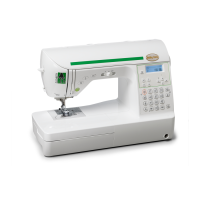
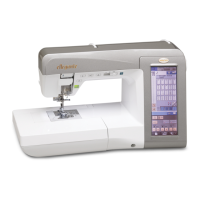
Baby Lock espire BLSR - User Manual

Baby Lock espire BLSR
150 pages
Print Icon
To Next Page IconTo Next Page
Loading...
English
882-U62
XE0996-001
Printed in Taiwan
D6_Quilt_TaconyEng_cover
PANTONE117

Table of Contents

Other manuals for Baby Lock espire BLSR

Questions and Answers

  • A
    amandamcculloughAug 16, 2025
    Why does the upper thread keep breaking on my Baby Lock espire BLSR Sewing Machine?
    • R
      ryanhendersonAug 16, 2025
      If the upper thread of your Baby Lock Sewing Machine keeps breaking, several factors could be at play. First, ensure the machine is threaded correctly, paying attention to spool installation, the spool cap, and the needle bar thread guide. Remove any knots or tangles in the thread. Check the fabric, thread, and needle combination table to ensure they are appropriate. Adjust the upper thread tension if it's too strong. If the thread is tangled in the race (bobbin case), carefully cut and remove it. Replace a bent or blunt needle, or reinstall it correctly. Finally, inspect the needle plate, presser foot, and race (bobbin case) for scratches; replace scratched parts or consult your authorized retailer.
  • H
    hthompsonAug 19, 2025
    How to fix skipped stitches on my Baby Lock espire BLSR Sewing Machine?
    • M
      Mr. Michael BennettAug 19, 2025
      If your Baby Lock Sewing Machine is skipping stitches, start by checking that the machine is threaded correctly. Make sure the thread and needle are appropriate for the fabric. Replace a bent, blunt, or defective needle, or reinstall the needle correctly. Also, remove any dust or lint collected under the needle plate with a brush.
  • M
    mcdonaldchristopherAug 22, 2025
    What to do if the needle breaks on my Baby Lock Sewing Machine?
    • K
      keithleonardAug 22, 2025
      If the needle on your Baby Lock Sewing Machine is breaking, several issues could be the cause. Make sure the needle is correctly installed and the needle clamp screw is tightened. Replace the needle if it is bent, blunt, or defective. Ensure that the thread and needle are suitable for the fabric you are sewing. Attach the correct presser foot. Adjust the upper thread tension if it is too strong. Avoid pulling the fabric during sewing. Reinstall the spool correctly. Finally, inspect the needle plate, presser foot, and race (bobbin case) for scratches; replace scratched parts or consult your authorized retailer.
  • C
    clarkmichaelAug 25, 2025
    Why is the fabric puckering when I sew with my Baby Lock Sewing Machine?
    • A
      Adam GreeneAug 26, 2025
      If the fabric puckers when using your Baby Lock Sewing Machine, check that both the upper and bobbin threads are correctly threaded and that the spool is installed correctly. Ensure the thread and needle are suitable for the fabric. Replace the needle if it's bent or blunt. Shorten the stitch length if sewing lightweight fabrics. Adjust the thread tension and ensure you're using the correct presser foot.
  • M
    Mr. Don Smith MDAug 28, 2025
    What causes the bobbin thread to break on my Baby Lock espire BLSR?
    • J
      Jason LivingstonAug 28, 2025
      If the bobbin thread is breaking on your Baby Lock Sewing Machine, make sure the bobbin is set correctly. Replace the bobbin if it's scratched or doesn't rotate properly. If the thread is tangled, use scissors to carefully cut and remove it from the race (bobbin case).
  • S
    Shaun LeeAug 31, 2025
    Why won't fabric feed through my Baby Lock espire BLSR Sewing Machine?
    • G
      gibarraAug 31, 2025
      If the fabric isn't feeding through your Baby Lock Sewing Machine, first check if the feed dogs are lowered and, if so, raise them using the drop feed key. Lengthen the stitch length if the stitches are too close together. Ensure you're using the correct presser foot. Replace the needle if it's bent or blunt. Also, check for and remove any tangled thread.
  • P
    pbrownSep 3, 2025
    Why is my Baby Lock espire BLSR making a high-pitched sound?
    • J
      jefferyhunterSep 3, 2025
      If your Baby Lock Sewing Machine is making a high-pitched sound while sewing, check for dust or lint caught in the feed dogs and remove it. Also, clean the race (bobbin case) of any thread pieces. Ensure the upper threading is correct. If the sound persists, the race (bobbin case) may be scratched and need replacement, or consult your authorized retailer.
  • L
    Lisa McfarlandSep 6, 2025
    What to do if my Baby Lock Sewing Machine does not operate?
    • J
      James SotoSep 6, 2025
      If your Baby Lock Sewing Machine isn't operating, make sure a pattern is selected and the 'Start/Stop' button has been pressed. Ensure the main power switch is turned on and the presser foot is lowered. If using a foot controller, either remove it or use it to operate the machine if the 'Start/Stop' button was pressed.
  • J
    John AguilarSep 9, 2025
    Why is my Baby Lock espire BLSR Sewing Machine's character pattern not sewing correctly?
    • T
      tonyaphelpsSep 9, 2025
      If the character pattern on your Baby Lock Sewing Machine isn't sewing out correctly, ensure you're using the correct presser foot. Also, check and correct the pattern adjustment settings and adjust the thread tension.
  • G
    Garrett MartinezSep 12, 2025
    What to do if the LCD on my Baby Lock espire BLSR Sewing Machine cannot be read?
    • A
      aaronjimenezSep 12, 2025
      If you cannot read the LCD screen on your Baby Lock Sewing Machine, adjust the LCD contrast.

Summary

Names of Machine Parts and Their Functions

Machine Overview

Details the front, right-side, and rear views of the sewing machine and its components.

Needle and Presser Foot Section

Explains the needle and presser foot assembly, feed dogs, and needle plate markings.

Operation Buttons and Controls

Describes the function of various operation buttons and the sewing speed controller.

Included Accessories

Lists and describes the accessories stored in the flat bed attachment.

Optional Accessories

Lists various optional accessories and their part codes for purchase.

Chapter 1 Getting Ready

Turning the Machine On;Off

Detailed steps for powering the sewing machine on and off safely.

LCD Screen and Key Functions

Explains the LCD display, its precautions, and the functions of the main operation keys.

Lower and Upper Threading

Comprehensive guide to winding the bobbin and threading the upper thread.

Changing the Presser Foot

Step-by-step instructions for removing and attaching presser feet.

Changing the Needle

Instructions on how to check, remove, and install a new needle correctly.

Needle Selection and Combinations

Guidance on selecting the correct needle and fabric/thread combinations for optimal results.

Sewing Large Pieces of Fabric

Explains how to attach and use the extension table for larger fabric projects.

Chapter 2 Sewing Basics

Sewing Techniques

Covers basic sewing, reinforcement, curves, direction, fabric handling, and using controls.

Adjusting Stitch Settings

Explains how to adjust stitch width, length, and thread tension for optimal sewing.

Useful Sewing Functions

Details functions like automatic stitching, thread cutting, pivoting, sensor system, and screen locking.

Chapter 3 Utility Stitches

Selecting Utility Stitches

Covers stitch selection screens, mirror image, saving settings, and using the sewing type key.

Sewing Utility Stitches

Details various utility stitches including quilting, straight, zigzag, overcasting, blind hem, buttonholes, and zippers.

Chapter 4 Character;Decorative Stitches

Selecting Stitch Patterns

Explains how to select decorative, satin, alphabet, and utility stitch patterns via the screen.

Sewing Stitch Patterns

Details basic sewing techniques and pattern adjustments for decorative stitches.

Editing Stitch Patterns

Covers pattern resizing, mirroring, single/repeat, and thread density adjustments.

Combining Stitch Patterns

Instructions on combining patterns from different categories, sizes, orientations, and lengths.

Using the Memory Function

Explains saving and retrieving stitch patterns to/from the machine and computer.

Chapter 5 Appendix

Care and Maintenance

Instructions for cleaning the LCD, machine casing, race, and bobbin case.

Adjusting the Screen

Guides for improving screen visibility and troubleshooting touch panel issues.

Troubleshooting and Error Messages

Provides solutions for common problems and lists error messages with their causes.

Machine Specifications

Lists the physical dimensions, weight, sewing speed, and needle type for the sewing machine.

Software Upgrades

Instructions on how to download and install software upgrades for the sewing machine.

Stitch Setting Chart

A reference table detailing stitch names, keys, presser feet, applications, and settings.

Baby Lock espire BLSR Specifications

General IconGeneral
Needle Threading SystemAutomatic
Display ScreenLCD
USB PortYes
LightingLED
Foot ControlYes
Needle Positions15
Needle ThreaderYes
LCD ScreenYes
Embroidery Area6.3" x 10.2" (160mm x 260mm)
TypeSewing and Embroidery Machine
Embroidery Designs150
Built-in Embroidery Designs150
Maximum Embroidery Speed850 spm

Related product manuals