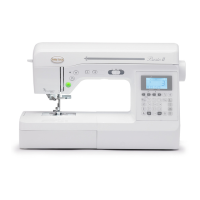
Names of Machine Parts and Their Functions
B-4
Operation buttons
1 “Start/Stop” button
Press the “Start/Stop” button to start or stop sewing. The
machine stitches at a slow speed at the beginning of sewing
while the button is pressed. When sewing is stopped, the
needle is lowered in the fabric. For details, refer to “STARTING
TO SEW” on page B-30.
The button changes color according to the machine’s
operation mode.
2 Reverse stitch button
For straight, zigzag, and elastic zigzag stitch patterns that use
reverse stitches, the machine will sew reverse stitches at low
speed only while holding down the Reverse stitch button. The
stitches are sewn in the opposite position.
For other stitches, use this button to sew reinforcement
stitches at the beginning and end of sewing. Press and hold
this button, and the machine sews 3 stitches in the same spot
and stops automatically. (page B-33)
3 Reinforcement stitch button
Use this button to sew a single stitch repeatedly and tie-off.
For character/decorative stitches, press this button to end with
a full stitch instead of at a mid-point. The LED light beside this
button lights up while the machine is sewing a full motif, and
automatically turns off when the sewing is stopped. (page B-
33)
4 Needle position button
Press the needle position button to raise or lower the needle.
Pressing the button twice sews one stitch.
5 Sewing speed controller
Slide the sewing speed controller to adjust the sewing speed.
Operation panel and operation keys
1 LCD (liquid crystal display)
Settings for the selected stitch and error messages for
incorrect operations appear in the LCD.
For details, refer to “LCD” on page B-10
2 Stitch length keys
Press to adjust the stitch length in the LCD.
3 Automatic reverse/reinforcement key
Press to use the automatic reverse/reinforcement stitching
function.
4 Initial needle position key
Press to select either “1 Straight stitch (Left)” or “3 Straight
stitch (Middle)” as the utility stitch that is automatically selected
when the machine is turned on.
5 Single/repeat sewing key
Press to choose single pattern or continuous patterns.
6 Needle position key
Press to select the needle stop position (the needle position for
when the machine is not being operated) to be up or down.
7 Width control key
Press to allow the stitch width to be adjusted using the sewing
speed controller. For details, refer to “Satin stitching using the
sewing speed controller” in the “Sewing” section.
8 Twin needle key
Press to use the twin needle. For details, refer to “Using the
twin needle” on page B-22.
9 Memory key
Press to save stitch pattern combinations to machine memory.
For details, refer to “Saving a pattern” in the “Decorative
sewing” section.
0 OK key
Press to apply the selection, perform the operation or add a
stitch pattern.
A Numeric keys
Use these keys to quickly select one of the ten most often used
stitches. When selecting other stitches, use these keys to enter
the number of the desired stitch.
B Back key
Press this key to cancel the operation and return to the
previous screen.
In addition, pressing this key removes the last pattern added
when combining characters or decorative stitches.
C Character stitch key
Press to select a character stitch.
Green: The machine is ready to sew or is sewing.
Red: The machine can not sew.
Orange: The machine is winding the bobbin thread, or
the bobbin winder shaft is moved to the right
side.
b
c
d
e
a


 To Next Page
 Loading...