Press
BACCHUS GENIUS ENGLISH
22
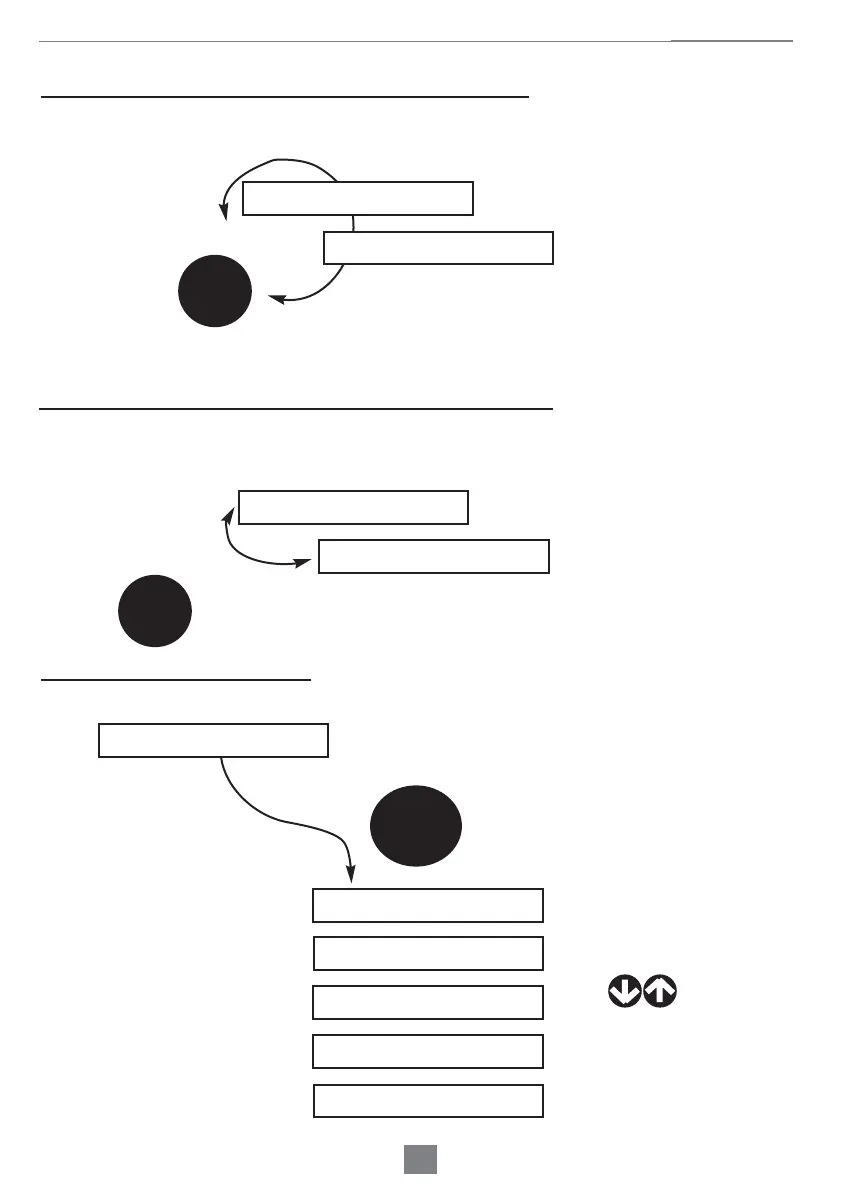
SHOWING THE ONE TEMPERATURE CHOICE
While working it will be shown the real cellar temperature
+05°C
Set: +05°C
OK
This is what you see in
case you chose the only
one temperature
Real temperature inside the cellar:
SHOWING THE MULTI TEMPERATURE CHOICE
While working it will be shown the real cellar temperature or the set values (set)
Press
+03°C +10°C
Set: +04°C +18°C
OK
This is what you see
When you set the
temperature
Real temperature inside the cellar:
MAIN MENU INTERFACE
+10°C +18°C
MENU
Press
MODE m1
TEMPERATURE m2
DEFROST m3
SERVICE m4
TURN OFF m5
Note: once you start the cellar, the display will show current reported T values. Please wait while the set values
are reached.


 To Next Page
 Loading...