(3) Set the origin: After the boat arrives at the fishing field, first set the
origin as follows:
Homepage (down key) → origin homepage (hold Ok key) → prompt
to select “OK” →Save successfully (set the origin successfully)
(4) Position point saving function and manual and automatic function:
When any position point is saved, the manual function indicates to
arrive at the position point via manual operations on the graphic
navigation. The automatic function indicates to automatically drive the
boat to the position point. Operations are described as follows:
Homepage (hold Down key) → page at any position point (OK key)
→ select manual or automatic (Hold the OK key) → enable manual
or automatic function
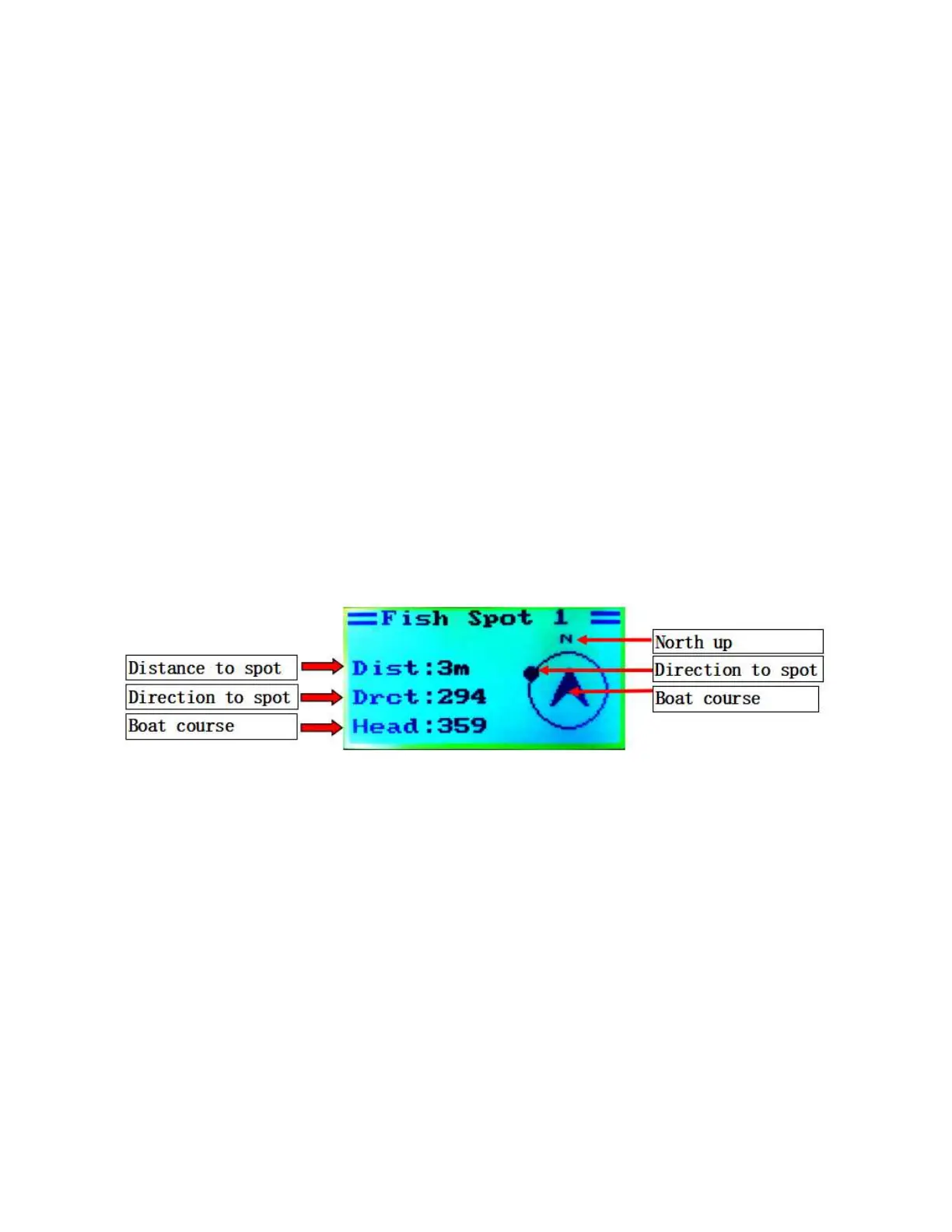
The manual operation images are introduced as follows:
(5) View the real-time distance of the boat from the origin. This function is
operated as follows:
Homepage (up key) → Display of information such as distance from
the origin


 To Next Page
 Loading...