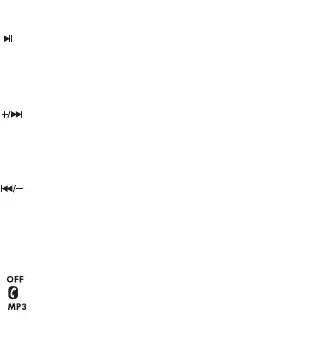
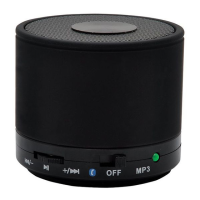
1. Button description
Play / Pause
- In TF mode : press and release the button : Play / Pause
- In wireless connection mode : press and release the button
* While music is playing : Play / Pause
* Call: Answer / End . Press and hold for 2 seconds: reject calls.
Next / VOL +
Push in the direction of the arrow and release: in TF and wireless
connection mode the next track is played. This button does not
work in 'AUX' mode .
Push in the direction of the arrow and hold: increase volume.
Back / VOL -
Push in the direction of the arrow and release: in TF and wireless
connection mode, the previous track is played. This button does
not work in ' AUX' mode.
Push in the direction of the arrow and hold: decrease volume.
ON / OFF button
: turn o the speaker
: Speaker is in wireless connection mode
: Speaker is in MP3 / TF / RADIO mode


 To Next Page