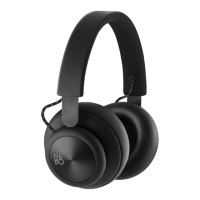
Need help?
Do you have a question about the B&O Play Beoplay H7 and is the answer not in the manual?
Move switch to top, hold for 2 sec. Release when sound/blue flash. Select device.
Use the switch to turn Bluetooth on or off. Move to top position and release to activate/deactivate.
Tap to play/pause. Circle clockwise/counter-clockwise for volume adjustment.
Swipe forward or backward for next or previous track.
Tap to answer/end, double tap to redial. Circle for volume adjustment.
Swipe forward during an active call to transfer it from headphones to smartphone.
Red light indicates <10% battery. Charge via USB or replace. Green light when fully charged. Use while charging.
Push slider to open. Turn headphones upside down to remove. Insert new battery with points inward/right. Close and lock.
Use the mini-jack cable if Bluetooth is unavailable or battery is discharged.
Register at www.beoplay.com/register for updates, news, and offers. Automatic registration if purchased from store/website.


 To Next Page
 General