The Bang & Olufsen Beoconnect Core is a versatile streaming box designed to integrate Bang & Olufsen products into modern audio setups and future-proof existing systems. It acts as a central hub for connecting various audio sources, speakers, and televisions, offering a comprehensive Bang & Olufsen experience through its dedicated app.
Function Description
The Beoconnect Core serves as a bridge, transforming Beolab speakers into contemporary streaming speakers and allowing them to connect to a wide array of audio sources and third-party televisions. It supports various streaming protocols and connectivity options, enabling users to enjoy personalized audio experiences, access product support, receive automatic software updates, and utilize new features. The device is managed primarily through the Bang & Olufsen App, which facilitates setup, configuration, and daily use.
Important Technical Specifications
The Beoconnect Core offers a range of connectivity options:
- Power Link: One RJ45 output socket for connecting two Beolab loudspeakers. This can be done via daisy-chaining (if speakers have two Power Link sockets) or using a Power Link splitter cable.
- Line/Optical-in: A 3.5 mm combo-jack for analogue or digital (Optical) audio sources, allowing connection of devices like CD players or turntables (with an RIAA preamplifier).
- COMM: For connection to a Beosound Shape.
- Ethernet: For wired network connection.
- HDMI eARC: For connecting to 3rd party TVs, allowing sound from the TV to play through connected speakers. It supports stereo sound (PCM) only and does not decode surround sound formats like Dolby Atmos.
- USB-C: For digital audio connection to Beolab 50/90 or to connect audio from a computer.
- Wi-Fi: IEEE802.11 b/a/g/n/ac/ax for wireless network connectivity.
- Bluetooth 5.3: For streaming audio and connecting a Beoremote One BT or Beoremote Halo.
Usage Features
- Bang & Olufsen App Integration: The core of the Beoconnect Core experience. The app allows for product setup, audio personalization, product support, network connection, automatic software updates, and access to new features. It also enables searching for local retailers.
- Sound Modes (Beosound Shape modes): Offers three different ways of listening:
- Band on the Wall: The mix is distributed around no matter the position of the listener.
- Social: The lead vocal stays in front of the listener, and the remaining parts of the mix are distributed around no matter the position of the listener.
- Stage: The lead vocal will appear in the closer-uppermost speaker like in a traditional stereo setup. Remaining speakers will enhance the sound stage between the speakers. This mode is intended for a multichannel surround setup.
- Favourites: Supports saving favourite radio stations or playlists from the Bang & Olufsen App or a paired remote control. These can be accessed with a short press of the favourite button.
- Multiroom: Beoconnect Core can link to other speakers in a multiroom system, allowing simultaneous playback of content across multiple speakers. It supports Beolink Multiroom (Bang & Olufsen's own system), Apple AirPlay, and Chromecast built-in.
- Bluetooth Pairing: To pair a new device, a short press of the Setup button initiates pairing mode (pulsing blue light). Reconnection to previously paired devices is possible directly from the device's Bluetooth settings.
- TV Synchronization: When connected via HDMI eARC, the Beoconnect Core synchronizes with the TV, switching on and entering standby mode along with it. Volume can be adjusted using the TV remote.
- Beosound Shape Integration: Can be connected to a Beosound Shape amplifier via an RJ45 Cat7 cable. The Beoconnect Core Bracket is required for wall mounting inside a Beosound Shape tile.
- Light Indicator: Provides status feedback:
- White (Solid): Connected to network, ready for use.
- White (Flashing): Starting up.
- White (Pulsing slowly): Playback paused.
- Blue (Solid - 5 sec): Connected / Bluetooth paired.
- Blue (Pulsing): Open for Bluetooth pairing.
- Red (Solid): Static error.
- Red (Flashing): Transient error, e.g., overheating.
- Amber (Solid): No network connection, connection lost.
- Amber (Flashing): Ready for network setup.
- Amber (Pulsing): Connecting to network.
- Green (Pulsing): Software update in progress - wait until the light turns solid white again.
Maintenance Features
- Wi-Fi Setup Mode: Pressing and holding the Setup button on the back for 2 seconds initiates Wi-Fi setup (flashing amber light). This allows connection to a new wireless network or resetting the existing connection. The setup can be canceled by pressing and holding the button again.
- Factory Reset: Pressing and holding the Setup button on the back for 8 seconds restores factory settings. The device will reset and be ready for first-time setup after approximately one minute.
- Software Updates: Automatic software updates are configured through the Bang & Olufsen App, ensuring the device remains up-to-date with the latest features and improvements.
- Product Support: The Bang & Olufsen App provides access to product support and allows users to contact customer care.
- Cabling Guidance: Users are advised to contact their Bang & Olufsen retailer for the correct cables for their specific speaker setup and preferred connections.

 Need help?
 General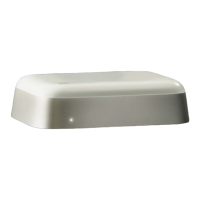

 To Next Page