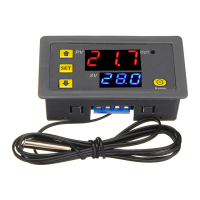
W3230 Temperature controller instruction manual
Temperature control range: -55°C~120°C
Temperature control accuracy: 0.1 °C
Display color: red + blue
Working power supply: DC12V DC 24V AC110V~220V
Sensor: NTC 10K 1 meter (with probe)
Product Size: 79.2mm×41.9mm×26.3mm
Hole Size: 72.1mm×39.2mm
product weight: 52g(12V/24V),59g(110V~220V)
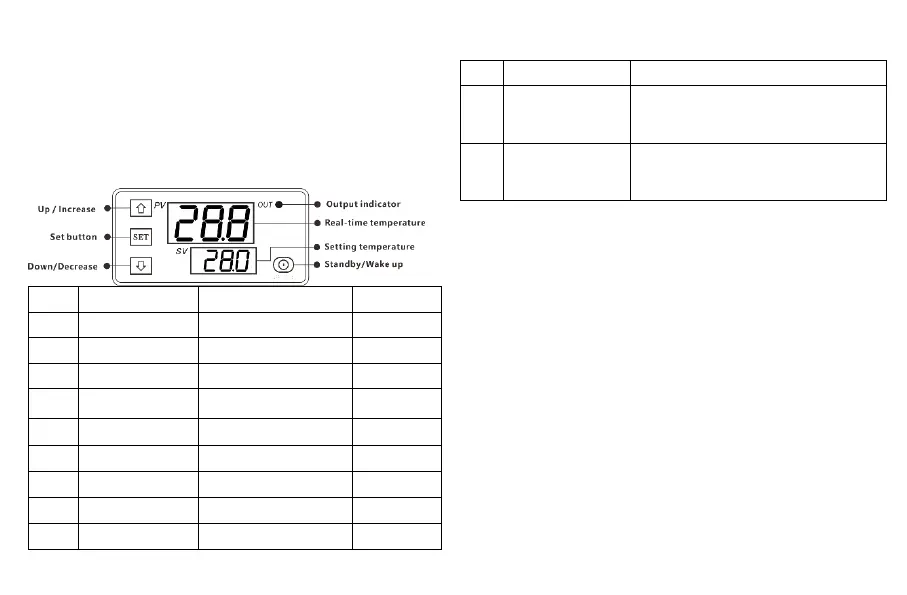
Operation and display panel
Operation guide
1. Short press “SET” small digital tube to flash, press “△” or
“▽” to set the target temperature, press “Standby” button or no
operation to save the setting within 3 seconds.
2. Press and hold “SET” to enter the code setting mode, press “△” or
“▽” to switch the code. After selecting, press “SET” to enter the
code setting. After setting, press “Standby” button or no operation to
save the setting within 3 seconds. .
3. The last parameter setting is saved by default after shutdown.
4, restore the factory settings: press and hold "SET" to power on.
5. When the module is powered on, it will start directly. After power-on,
press and hold the “standby” button, the module will enter “sleep” or
“wake up”; in case of power failure, the module will run automatically
after power recovery, no need to start manually.
**The working power supply voltage must be connected
according to the standard voltage of the label,
otherwise the module will be damaged easily.


 To Previous Page
 Loading...