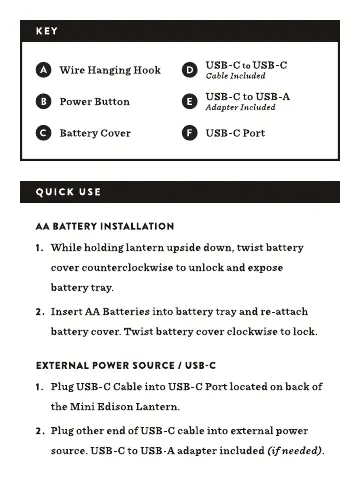
KEY
o
Wire Hanging Hook
o Power B utton
e
Battery Cover
QUICK USE
AA BATTERY INSTALLATION
USB-Cto USB-C
Cable luded
USB-C to USB-A
o
Adapter Included
o USB-C Port
1. While holding lantern upside down, twist battery
cover counterclockwise to unlock and expose
battery tray.
2. Insert AA Batteries into battery tray and re-attach
battery cover. Twist battery cover clockwise to lock.
EXTERNAL POWER SOURCE 1 USB-C
1. Plug USB-C Cable into USB-C Port located on backof
the Mini Edison Lantern.
2. Plug other end of USB-C cable into external power
source. USB-C to USB-A adapter included (if needed).


 To Next Page