
 Need help?
Do you have a question about the BARIX Annuncicom and is the answer not in the manual?
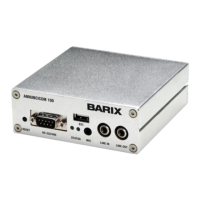
Provides an overview of the Annuncicom, its features, and applications.
Describes the web user interface elements and navigation.
Details the status indicators and control elements within the web UI.
Guides users through the initial steps to access device configuration.
Outlines the three main configuration options: Basic, Advanced, and Table settings.
Details configuration for all parameters except routing tables.
Configuring static IP addresses, Netmask, and Gateway.
Adjustments for audio input and output parameters.
Configuring streaming mode, parameters, and destinations.
Configures access levels and passwords for device security.
Adjusts the streaming table entries for destination configuration.
Procedure to reset all settings to default via the web interface.
First step to access the firmware update page.
Second step to initiate the firmware update process.
Common questions and solutions for Annuncicom issues.
 General
| Brand | BARIX |
|---|---|
| Model | Annuncicom |
| Category | Intercom System |
| Language | English |

 To Next Page