Head Ofce:
Barrett Communications Pty Ltd
47 Discovery Drive, Bibra Lake,
WA, 6163 AUSTRALIA
Tel: +61 8 9434 1700
Fax: +61 8 9418 6757
Email: information@barrettcommunications.com.au
www.barrettcommunications.com.au
BCM40506/2
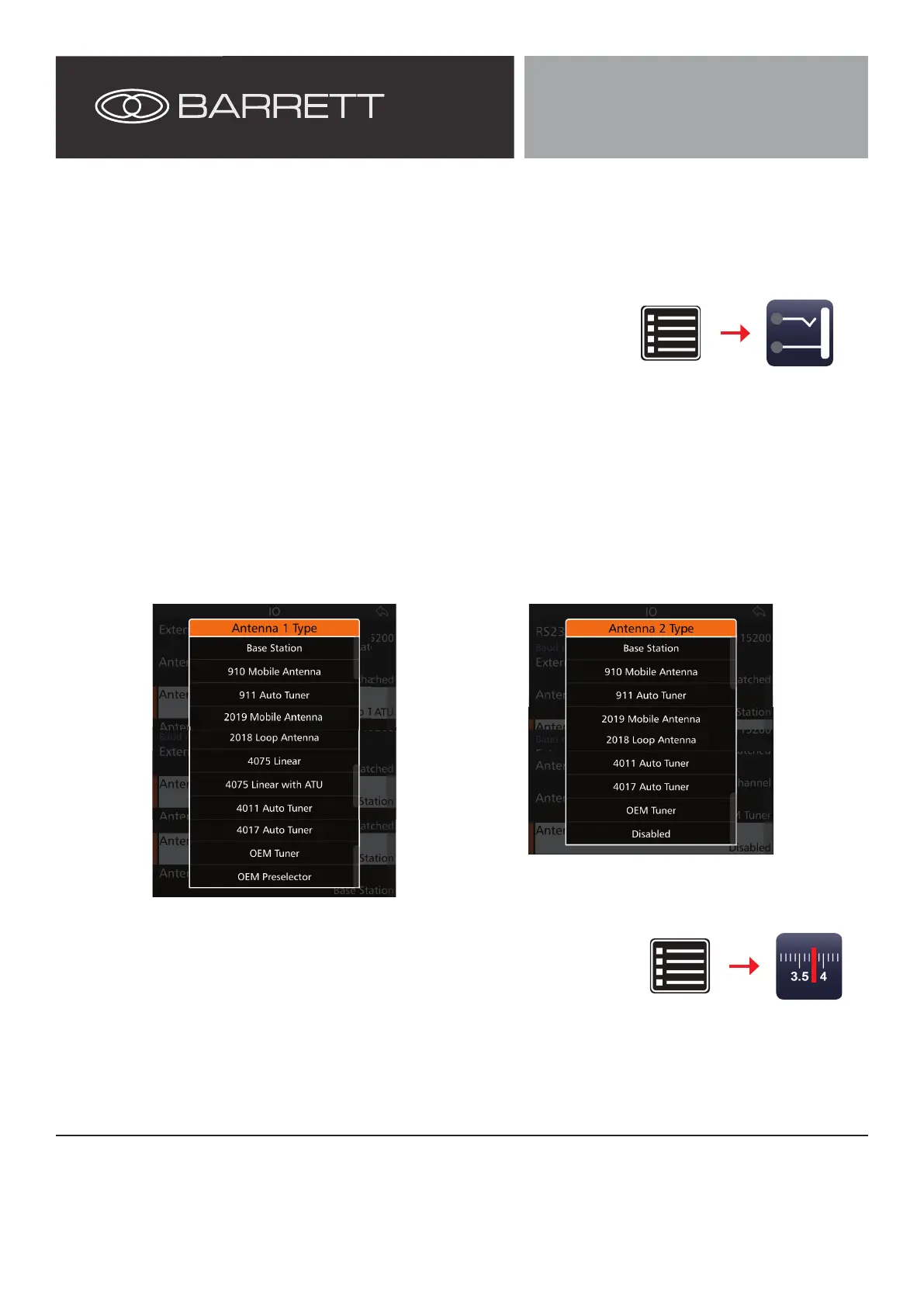
1. Swipe left to right from the left edge of the 4050 display.
2. Select Settings, then I/O.
3. Tap Antenna 1 Type from the IO screen to display the Antenna 1 Type screen.
4. Select the antenna connected to the Antenna 1 connector on the Dual Port Antenna
Switch Unit
Please note: an antenna with memory tune or GPS functionality should be
connected to the Antenna 1 port on the Dual Port Antenna Switch Unit i.e.
2019 antennas
5. Select Antenna 2 Type from the I/O menu.
6. Select the antenna connected to the Antenna 2 connector on the Dual Port Antenna
Switch Unit.
Please note: a 4075 Linear Amplier cannot be connected to the Antenna 2
port. It is recommended that the amplier be connected directly to the trans-
ceiver.
Settings
I/O
Operation
Settings Channels
I/O Settings
Channel Settings
Channels require a specic Antenna socket to be assigned to them. Ensure that the cor-
rect Antenna (1 or 2) is assigned for correct functionality.
Before rst use of dual antennas, the Barrett 4050 HF SDR Transceiver must be properly congured. For further information on
the operation of a Barrett 4050 transceiver, please refer to the Barrett 4050 HF SDR Transceiver Operating and Installation Man-
ual (BCM40500).


 To Previous Page
 Loading...