-2-
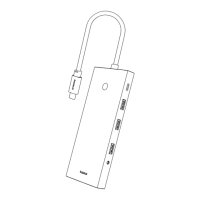
No. Name Description
1 USB3.1 10Gbps (Max.), supports expansion for mouse, key-
board, ash drive, hard drive and more.
2 Type-C3.1 10Gbps (Max.) data transmission, supports connection
to phones, hard drives and more for data transmission.
3 USB2.0 480Mbps(Max.), supports expansion for mouse, key-
board, ash drive and more.
4 HDMI1 4K@60Hz (Max.), downward compatible with 4K@30Hz.
5 HDMI2 4K@60Hz (Max.), downward compatible with 4K@30Hz.
6 DP 8K@30Hz (Max.), downward compatible with
4K@120Hz/4K@60Hz/4K@30Hz.
7 VGA 1080P@60Hz (Max.), for HD display and projector.
8 PD 100W (Max.) input.
9 SD/TF 60MB/s, does not support simultaneous card reading,
only supports the rst card inserted.
10 3.5mm Supports extension to CTIA earphones and speakers.
11 RJ45 1000Mbps(Max.), downward compatible with 100Mbps
and 10Mbps.
12 Indicator/
Button
Controls the on/o of the cast screen, protecting your
privacy.
Indicator ashes: The port is not a full-featured port or
Thunderbolt port, and does not support video output for
screen casting.
Indicator stays on: The port supports screen casting,
data transmission and charging.
Attention
Extending and mirroring are only for devices with Type-C ports supporting
this function, otherwise it can only be used for charging and data
transmission.
Please keep the product away from re source and DO NOT disman-
tle or repair the product by yourself. Please contact our customer
service for help if you have any problem with the product.
FAQs
1. What’s the requirement for using this product?
a. Make sure the Type-C port of your device is full-featured (with
charging, data transfer and DP Alt Mode function). Some functions,
for example, mirroring or extending screen cannot be used if it is not
full-featured.
b. Features of a full-featured Type-C port: charging, data transfer
and DP Alt Mode, up to l0Gbps of data transmission speed, USB 3.1
standard, and backward compatible with USB 2.0/1.1. Non-full-fea-
tured ports support only data output.


 To Next Page