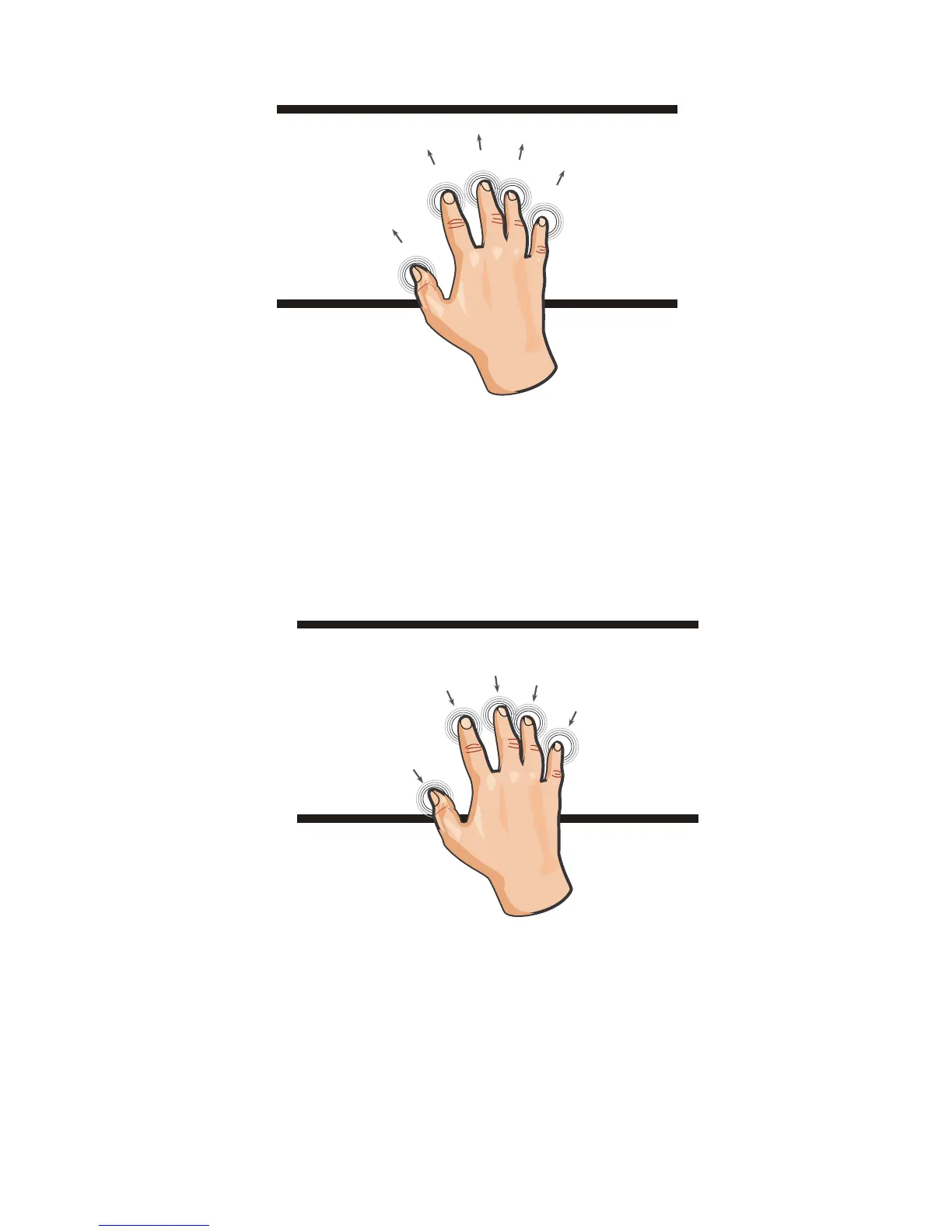
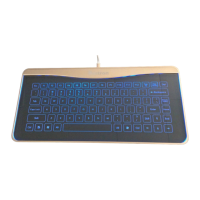
Mac OSX
Five fingers: Flick with five fingers is show the desk.(The system
default shortcut: F11)
Five fingers: catch up with five finger is Launchpad(set the follow
steps)
1.System preference/Keyboard/Keyboard choose "Use all
F1,F2,etc.keys as standard functions keys"
2.System preference/Keyboard/Shortcuts/Launchpad&Dock choose
"Show Launchpad"and change to"Control+L"
B2


 To Next Page