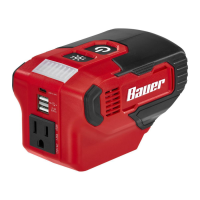
Page 7For technical questions, please call 1-888-866-5797.Item 59299
Record Serial Number Here:
Note: If product has no serial number, record month and year of purchase instead.
Note: Replacement parts not available. Refer to UPC 193175465474.
Troubleshooting
Problem Possible Causes Likely Solutions
Inverter will not turn on. 1. Battery Pack not properly
connected.
2. Battery Pack not properly
charged.
3. Battery Pack burnt-out.
1. Remove Battery Pack, make sure there are no
obstructions, reinsert the Battery Pack according
to its shape (it should only fit one way), and press
firmly until the Battery Pack locks in place.
2. Make sure Charger is connected and
operating properly. Give enough time for
Battery Pack to recharge properly.
3. Dispose of old Battery Pack
properly or recycle. Replace Battery Pack.
No AC Output 1. Inverter is overloaded.
2. Defective device connected
1. Check if inverter output rating has been exceeded.
2. Try a different device.
WorkLight not working. Power Switch is OFF. Power Switch must be ON for Worklight to work.
USB-C will not
charge device.
Device may require 20V to
charge, this inverter provides
up to 15V through USB-C.
Check device operator’s manual and verify
that 20V is not required for charging.
Overheating. Blocked vents. Keep all vents clear for proper ventilation.
Wear ANSI-approved safety goggles and
NIOSH-approved dust mask/respirator while blowing
dust out of unit while using compressed air.
Follow all safety precautions whenever diagnosing or servicing the tool.
Disconnect Battery Pack power supply before service.


 To Previous Page
 Loading...