
 Need help?
Do you have a question about the Bauknecht GKEA 2515 OPTIMA and is the answer not in the manual?
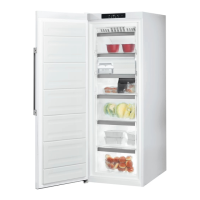
This document describes a freezer appliance, detailing its components, controls, and operational features.
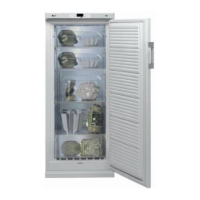
The appliance consists of a compartment for freezing, a control unit, an area for drawers and pull-out baskets, and a rating plate located inside. Ice packs may also be included inside the appliance, typically found within a designated storage compartment or an area for freezing. The design of the drawers and accessories can vary depending on the specific model.
The control unit features a digital temperature display (A) which shows the internal temperature. A yellow LED (B) indicates when the fast freeze function is active. A red LED (C) blinks to signal that the temperature in the freezer compartment is too high. The freezer on/off button (D) allows the user to power the appliance on or off. Internal temperature control is managed via button (E), while button (F) activates the fast freeze function. An acoustic alarm mute button (G) is provided to silence alarms. The "6th Sense"/"Dynamic Intelligence" activation LED (H), if present, illuminates blue to indicate that this function is active.
To switch on the appliance, first plug it in. If the digital display initially shows only an illuminated dot, press the freezer on/off button (D). Next, press button (G) to mute any acoustic alarm. The user should then wait until the temperature indicated on the digital display reaches -12°C before placing food to be frozen or already frozen food into the freezer.
The freezer compartment temperature is factory set for optimum operation at -18°C. To adjust this temperature between -16°C and -24°C, press button (E). Each press of this button changes the temperature setting by 1°C, with the value blinking cyclically on the display. After approximately 5 seconds of inactivity, the set temperature is stored, the display stops blinking, and the current internal temperature is shown. The "6th Sense"/"Dynamic Intelligence" function, indicated by a blue LED, automatically activates when the door is opened or small amounts of fresh food are placed in the freezer. Its duration varies based on the quantity of food loaded and the ambient temperature, deactivating automatically once optimal operating conditions are restored. The digital display shows internal temperature values ranging from +10°C to -24°C. In the event of a power failure, selected functions remain stored in memory.
The fast freeze function automatically switches off once freezing is complete.
The appliance includes several alarm signals to alert the user to potential issues. A "Door open alarm" activates acoustically if the door is left open for more than one minute, prompting the user to close the door. A "Temperature alarm" triggers an acoustic alarm and illuminates the red LED (C) if the internal temperature rises above -12°C. To resolve this, press button (G) and wait for the temperature to fall below -12°C. A "Temperature sensor alarm" activates an acoustic alarm and displays "SF" if there is a fault with the temperature sensor, requiring contact with after-sales service. A "Prolonged power failure alarm" activates an acoustic alarm and illuminates the red LED (C), with the display blinking to indicate the highest temperature reached during the power failure. This signifies that correct food storage may no longer be guaranteed. To clear this alarm, press button (G); the display will then show the current internal temperature. It is important to note that the temperature alarm may activate temporarily if the door is left open for an extended period or if fresh food is introduced, but this temporary rise in temperature does not affect the storage of already frozen food.
For No Frost models, defrosting is automatic, adapting to usage and ambient humidity conditions. For non-No Frost models, manual defrosting is required. To defrost, first press the freezer on/off button (D). Then, unplug the appliance or switch it off at the main switch. Fit the drain in place as shown in the instructions booklet and follow the remaining instructions. Once defrosting is complete, plug the appliance back in and press the freezer on/off button (D). An illuminated dot will appear on the digital display, and the user should then follow the steps for "Switching on the appliance."
 General
| Width | 60 cm |
|---|---|
| Depth | 64 cm |
| Cooling System | Static |
| Color | White |
| Climate class | SN-T |
| Defrost System | Manual |
| Freezer Star Rating | 4 stars |



 To Next Page