CHAPTER 3: COMPONENTS/SYSTEMS 15
Capri 21’ - 23’ • Owner’s Manual Supplement
S
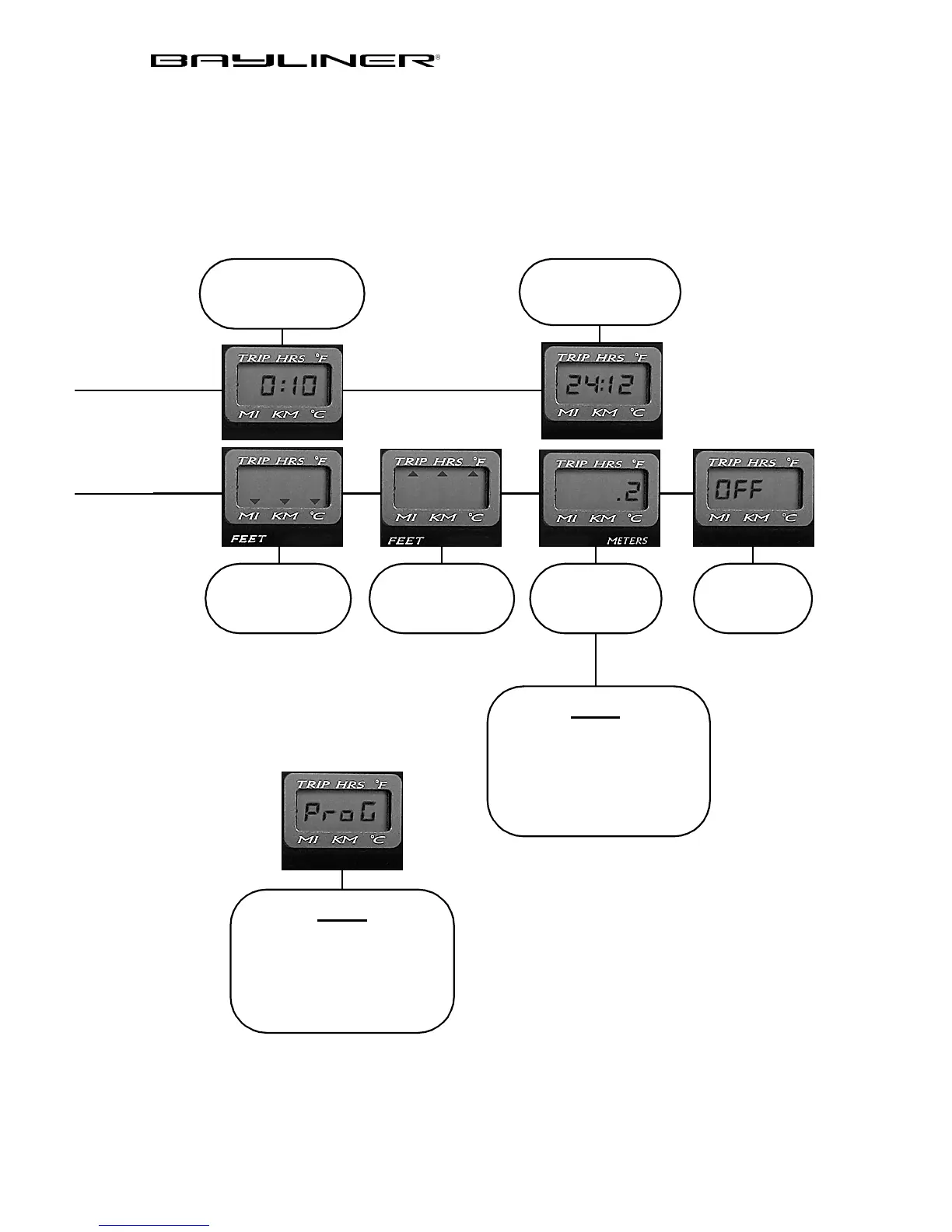
decreases
Depth Alarm
Va l u e -
M
to next
S
increases
Depth Alarm
Va l u e -
M
to next
S
to
ON
or
OFF
Setting Depth to METERS
will change Distance and
Trip logs to km (kilometers)
and Seawater Temp (option)
to C (centigrade)
Note
If you see
ProG
on the
display you have entered the
programing mode. Turn the
key off to exit. Do not
Note
change programmed values.
Select Depth
S
to Select
Feet or Meters
M
to next
M
to go to 24:12
S
to Select
M
to exit
S
to set Hours
M
to go to Minutes
S
to set Minutes



 To Next Page