Need help?
Do you have a question about the BBK AV220 and is the answer not in the manual?
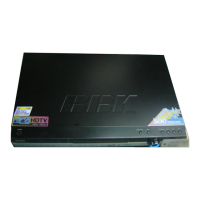
This document is a service manual for the BBK AV220 Digital Surround Home Theatre Amplifier, providing essential information for its function, usage, and maintenance.
The BBK AV220 is a digital surround home theatre amplifier designed to deliver an immersive audio experience for home entertainment systems. Its primary function is to amplify audio signals from various sources and distribute them to multiple speakers, creating a multi-channel surround sound environment. The amplifier supports digital audio processing, which allows for high-fidelity sound reproduction and compatibility with modern digital audio formats. It is equipped to handle multiple audio input sources, enabling users to connect devices such as DVD players, VCD players, auxiliary audio sources, and radio tuners. The amplifier's core circuitry includes components for signal input selection, pre-amplification, tone control, digital signal processing (DSP), and power amplification. The digital processing capabilities enable the amplifier to decode and render surround sound formats, enhancing the spatial quality of audio playback for movies, music, and other media.
The amplifier's design incorporates several integrated circuits (ICs) for various processing tasks, including audio switching, digital-to-analog conversion, and control functions. For instance, the presence of CD4052 ICs suggests multiplexing capabilities for input selection, allowing the user to switch between different audio sources. The inclusion of a vacuum fluorescent display (VFD) indicates a user-friendly interface for displaying operational status, selected inputs, and other relevant information. The amplifier also features a remote control receiver, enabling convenient operation from a distance. The power output stage is designed to drive multiple speakers, including front, center, and surround channels, to create a comprehensive home theatre soundstage. The use of various transistors, resistors, and capacitors in the amplifier board indicates a robust audio path designed for clarity and power delivery.
The BBK AV220 amplifier offers a range of features designed to enhance the user's home theatre experience. Users can select from multiple audio input sources, such as DVD, VCD, AUX, and DVB, providing flexibility for connecting various entertainment devices. The front panel includes controls for input selection, master volume, bass, DTS, H-FUPCM, AUTO, DSP, SLEEP, and MUTE functions, allowing for direct control over audio playback and settings. The presence of DTS and Dolby Digital (indicated by the "dis DO DOLBY DIGITAL" logo) suggests support for popular multi-channel audio formats, enabling users to enjoy surround sound from compatible media. The amplifier's tone control features, including bass adjustment, allow users to customize the audio output to their preferences or to suit the acoustics of their listening environment.
The amplifier's display screen provides visual feedback on the current operational mode, selected input, and other settings, making it easy for users to monitor and adjust the system. The remote control functionality, facilitated by a dedicated receiver head, offers added convenience, allowing users to operate the amplifier from their seating position without needing to interact directly with the front panel. The inclusion of microphone inputs suggests that the amplifier can also be used for karaoke or public address applications, adding to its versatility. Output terminals for multiple speakers (FR, FL, SC, SR, SL) are provided, ensuring compatibility with a standard 5.1 or 6.1 channel surround sound setup. The design also includes various jumper lines and terminals for internal connections and potential configuration adjustments, though these are typically for service personnel.
The service manual provides critical information for the maintenance and repair of the BBK AV220 amplifier. Safety precautions are highlighted, emphasizing the risk of electric shock and advising against unauthorized removal of the cover. This underscores the importance of qualified personnel for any internal servicing. The bill of materials (BOM) for various printed circuit boards (PCBs), such as DXSOALL.PCB, ACIN.PCB, and amplifier.PCB, lists all components with their specifications, quantities, and positions. This detailed component list is invaluable for identifying and replacing faulty parts during troubleshooting. For example, resistors are specified by wattage, resistance, and package type, while capacitors are listed by capacitance, voltage, and package. Transistors and ICs are also precisely identified, ensuring that correct replacements are used.
The schematic diagrams for different sections of the amplifier, including the main board, S-VIDEO, JP007, MICROP, TONE, and AC3-D DTS DECBD, provide a comprehensive view of the circuit design. These diagrams are essential for understanding the signal flow, voltage distribution, and interconnections between components. Technicians can use these schematics to trace signals, diagnose component failures, and verify proper circuit operation. The PCB layouts, also included in the manual, show the physical arrangement of components on the boards, which is helpful for locating specific parts and understanding their spatial relationships. Jumper lines and terminal connections are clearly documented, aiding in reassembly and ensuring correct wiring after repairs. The presence of fuse sockets and fuses (e.g., 5AT) indicates built-in protection mechanisms, and their specifications are provided for proper replacement, which is a common maintenance task. Overall, the manual is a complete resource for diagnosing, repairing, and maintaining the BBK AV220 amplifier to ensure its long-term performance and safety.
 General
| Brand | BBK |
|---|---|
| Model | AV220 |
| Category | Home Theater System |
| Number of channels | 5.1 |
| Decoder | Dolby Digital, DTS |
| USB Port | Yes |
| Remote Control | Yes |
| Output Power | 1000W |
| Playable formats | MP3, JPEG |
| Outputs | Composite Video, Component Video |
| Inputs | Composite Video, Component Video |
| Supported media | DVD, CD |


 To Next Page