ENGLISH
1716
If no other signal is captured in SP mode and you suspect victims
are nearby, stand up and try again at chest height. If still no other
signal is detected, take three steps back and repeat (or revert to SE
mode and use the three-circle method).
Once you have located another signal in SP mode, begin to move
in that direction. If the distance consistently decreases, you are
going in the right direction. Travel far enough in SP mode to confirm
the distance is decreasing and which way the flux line is trending.
If more than one signal is being displayed and it becomes unclear
which one to pursue, continue in the direction you have been
searching. Always switch back to SE mode when you think you are
getting closer to transceiver 2 than transceiver 1.
If after finding a victim, no further signals are detected in SP mode,
continue the search if there are still missing victims. Revert to search
mode and perform a signal search of the remaining unchecked areas
within the debris pile. Resume your signal search at the point where
it was originally abandoned.
For more details on multiple burials, please refer to our website:
www.backcountryaccess.com.
Operating Instructions
Micro-Search Strip Method: This technique is more useful in small-
er debris areas, like those often encountered in guiding exams. The
user remains in SE mode and crisscrosses the debris pile in strips
three to five meters apart until the next signal is detected.
For detailed instructions on using the special techniques above, see
our Advanced Tracker Manuals at www.backcountryaccess.com.
Special Mode: For greater efficiency in close-proximity multiple
burials, use special (SP) mode. This mode enables the Tracker to
display the distance and direction of signals other than those of the
closest transceiver. It also reduces the Tracker’s search “window”
to the center three directional lights, enabling the searcher to mask
out transceiver 1 and differentiate it from transceiver 2. SP mode is
used to determine approximately what direction and distance to go
to get closer to transceiver 2. Once you are closer, always switch
back to SE mode.
To use SP mode, first re-engage transceiver 1 in your center search
light at the lowest possible distance reading. With the center search
light engaged, switch the Tracker to SP mode (Figure I). Then
rotate—do not sweep—the Tracker slowly until another signal is
detected (transceiver 2), most likely with a larger distance reading.
If the Tracker is rotated more than about 40 degrees away from the
flux line of transceiver 1, that signal will disappear, allowing you to
focus on the signal from transceiver 2.
2
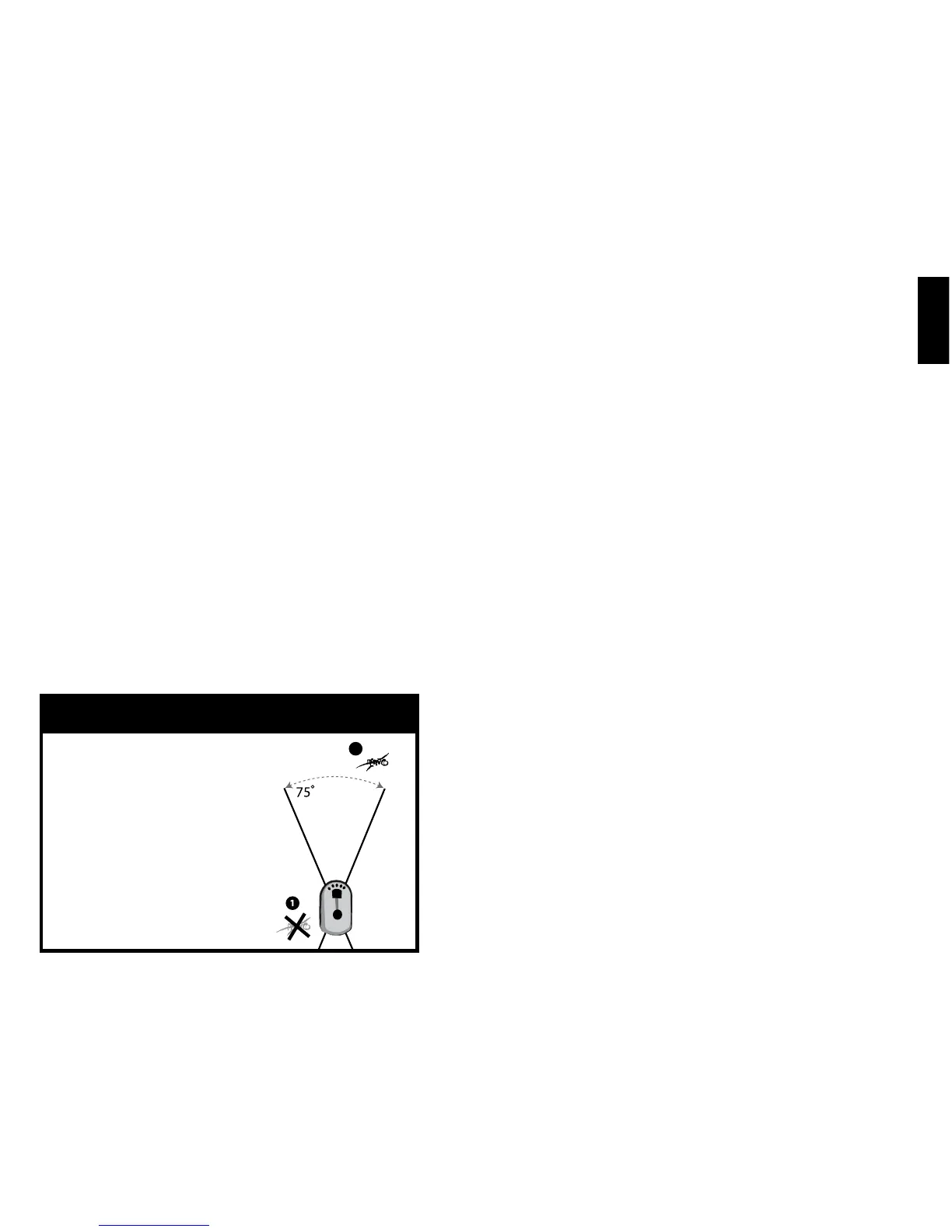
In special mode (SP), all signals
are shown, but Tracker acts as a
“spotlight” with narrowed vision:
approximately 75 degrees in front and
in back of the searching transceiver.
Only the signals within this angle
(transceiver 2) are shown. This 75°
angle corresponds to the Tracker’s
center three lights.
Always switch back to search mode
(SE) when you’re more than halfway
from transceiver 1 to transceiver 2.
Figure I
Special (SP) mode
Operating Instructions


 To Next Page
 Loading...