| 15
COOKING
3
4
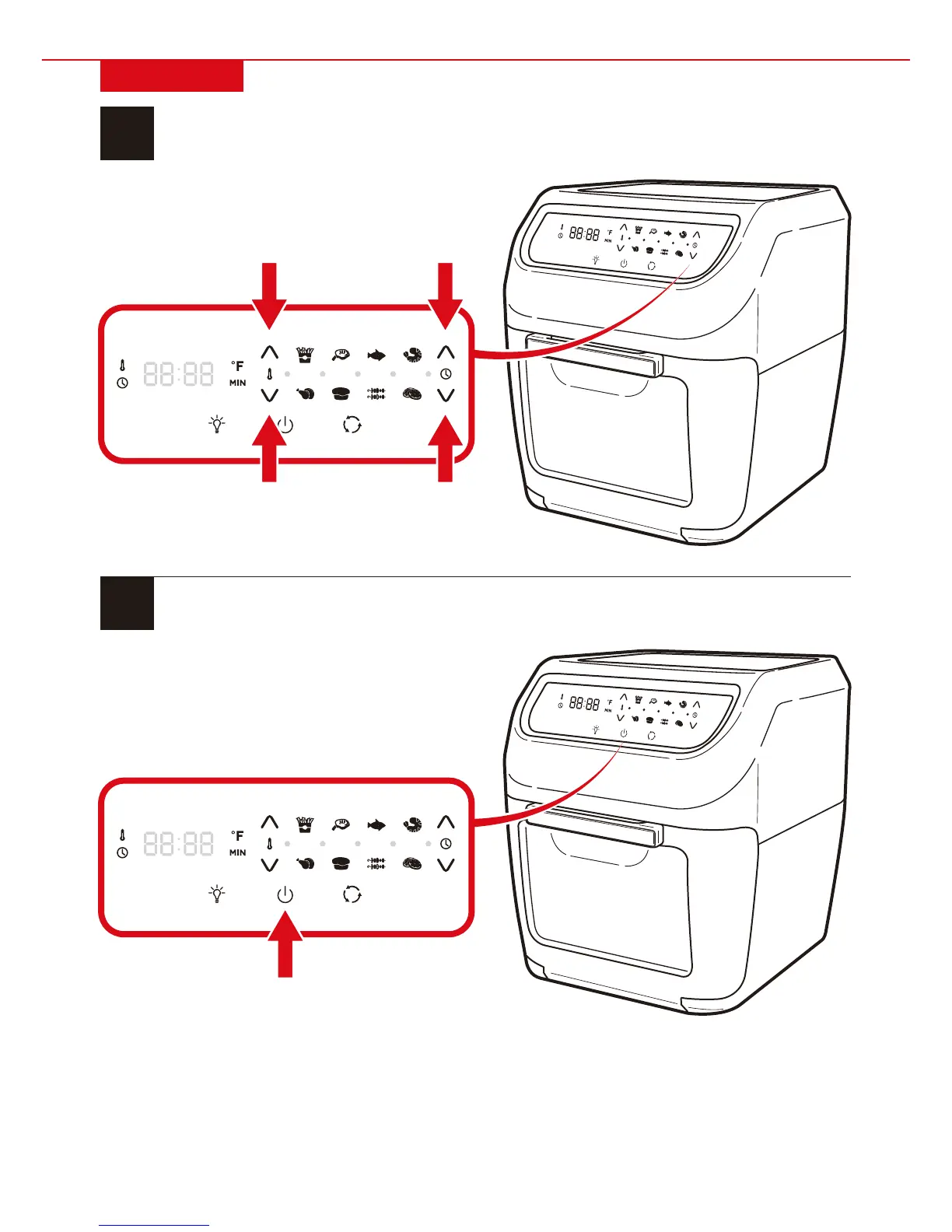
Use arrow buttons to set
temperature and timer.
• You can also choose a cooking
preset and adjust as needed.
Press start button to begin cooking.
• If needed, press pause button to pause
cooking, add/remove ingredients, or
change the cooking preset.
• Note: If paused for 30 seconds, machine will
automatically turn o.


 To Next Page