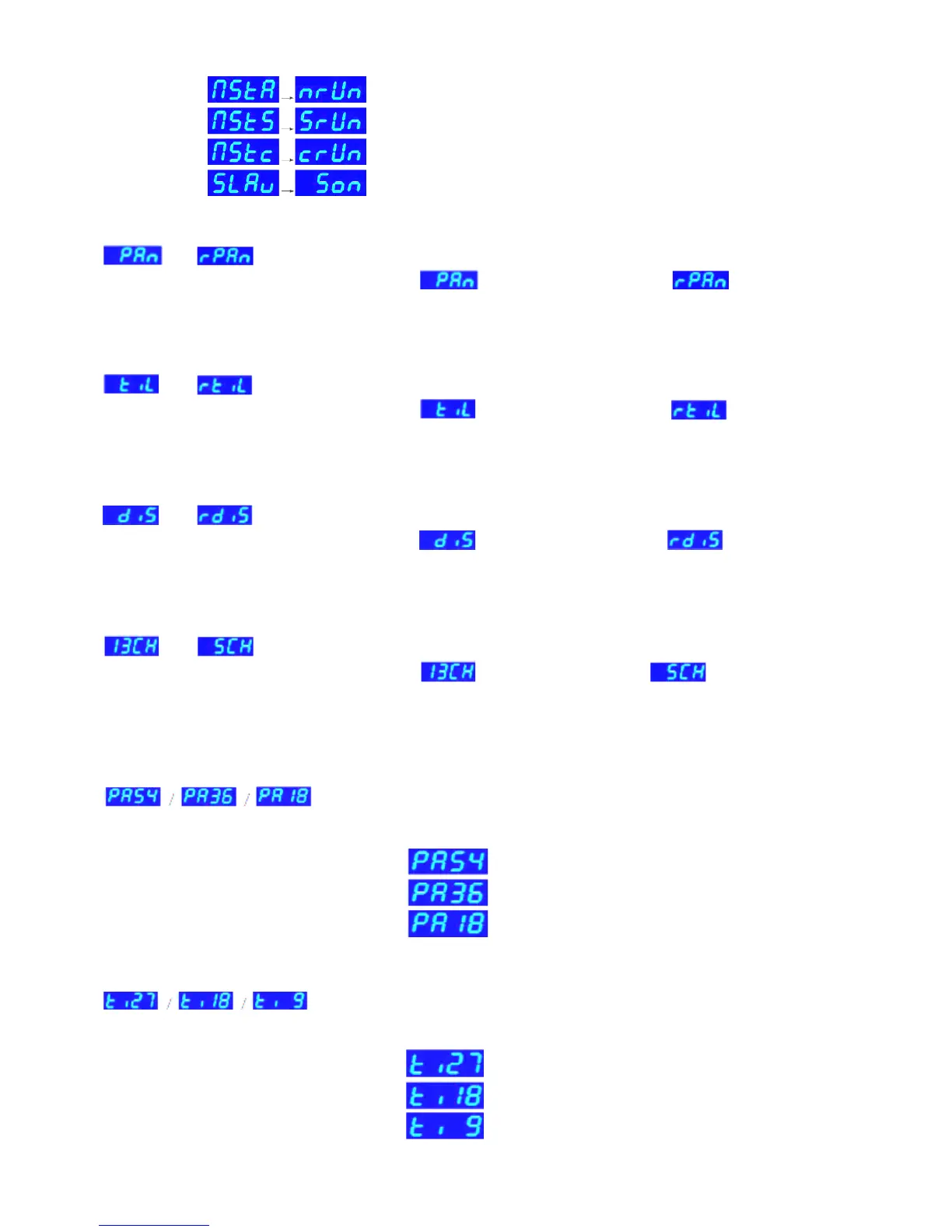
MODE 3:
and : Press the ESC button until one the previous messages displays and search for the
desired function via the UP/DOWN buttons. is positive PAN mode and is negative PAN
mode. Press ENTER to save the function. On the display appears -DMX- or -Master/Slave- mode
depending on what has been previously selected.
MODE 4:
and : Press the ESC button until one the previous messages displays and search for the
desired function via the UP/DOWN buttons. is positive TILT mode and is negative
TILT mode. Press ENTER to save the function. On the display appears -DMX- or -Master/Slave- mode
depending on what has been previously selected.
MODE 5:
and : Press the ESC button until one the previous messages displays and search for the
desired function via the UP/DOWN buttons. is positive LED mode and is negative LED
mode. Press ENTER to save the function. On the display appears -DMX- or -Master/Slave- mode
depending on what has been previously selected.
MODE 6:
and : Press the ESC button until one the previous messages displays and search for the
desired function via the UP/DOWN buttons. is 13 CHANNELS and is 5 CHANNELS.
Press ENTER to save the function. On the display appears -DMX- or -Master/Slave- mode depending on
what has been previously selected.
MODE 7:
Select the scanning angle for PAN (for Master/Slave and Sound Control) and press the ESC button until
is displayed. Select the desired function with the UP/DOWN buttons. Press
ENTER to save the function. On the display appears -DMX- or -Master/Slave- mode depending on what
has been previously selected.
MODE 8:
Select the scanning angle for TILT (for Master/Slave and Sound Control) and press the ESC button until
is displayed. Select the desired function with the UP/DOWN buttons. Press
ENTER to save the function. On the display appears -DMX- or -Master/Slave- mode depending on what
has been previously selected.
Master mode: Auto mode
Master mode: Sound controlled mode
Master mode: “Easy”controller mode
Slave mode: Slave
Pan : 540°
Pan : 360°
Pan : 180°
Tilt : 270°
Tilt : 180°
Tilt : 90°


 To Next Page