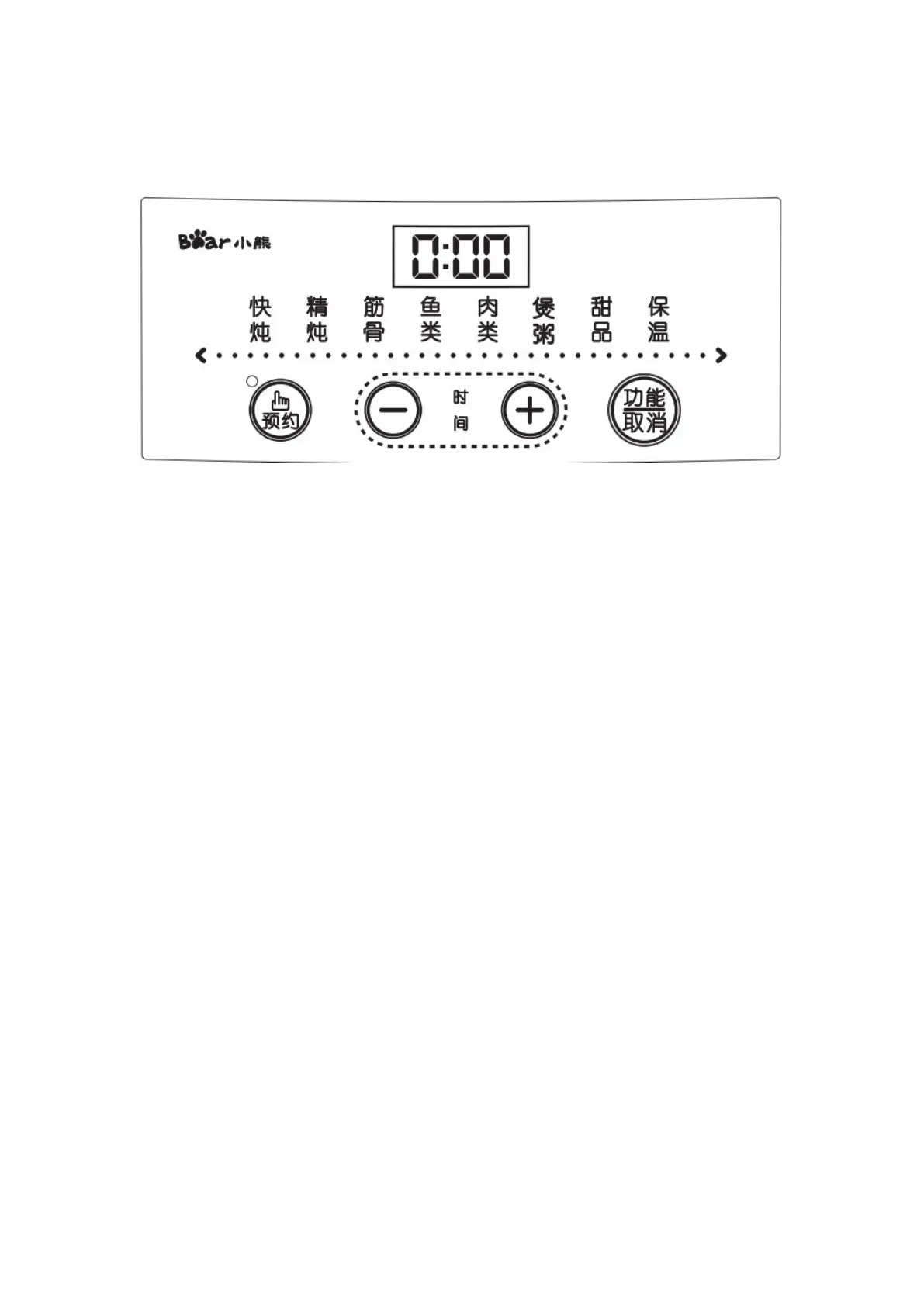
Control Panel
01 [Function/Cancel] Key: In standby state, press this key to select the corresponding
functions in turn: fast stewing, fine stewing, bones and muscles, fish, meat, soup
cooking, dessert and heat preservation. After selecting the functions, the
corresponding indicator lights will flash, and the digital tube will display its default
working time. If there is no other operation, it will automatically enter the working
state after 10 seconds, and the function indicator lights will turn on normally. Press
this key during the working process, the product stops working, the digital tube
displays "OFF" and returns to the standby state.
02 "+" and "-" Time adjustment keys: Press "+" and "-" keys to adjust each function
and reserved working time. Each time you press "+" or "-" keys, the corresponding
time increases or decreases by 30 minutes.
03 [Reservation] Key: In standby state, press this key to enter the reservation setting.
The reservation indicator lights up. The digital tube displays the default reservation
time [2:00]. Press the "+" and "-" keys to adjust the reservation time. After setting the
reservation time, press the "Function/Cancel" key to select the required function. At
this time, the reservation indication is on for the same length. After setting for 10
seconds, the product will automatically enter the reservation countdown. If only the
reservation time is set, after 10 seconds without any operation, the reservation
function will be cancelled automatically and the product will enter the standby state.
When the function is selected, press the "Reservation" key to enter the reservation
setting. At this time, the corresponding function indicator light will be on for a long
time. Press the "Reservation" key again to cancel the reservation and return to the
selected working mode.



 To Next Page
 Loading...