17English
Aer charging, press the RESET buon using a pointed object to clear or com-
pletely reset the current conguraon of the mer. The device is now ready for
use. The following secons of this manual describe how to make the individual
sengs.
7. Seng the current me
Press the "CLOCK" buon to display the me. Then press the "SET" buon. The
current day of the week ashes in the mer display.
Set the days of the week using the "V+" and "V-" buons, and then conrm using
the "SET" buon. Then repeat the process for the hour and minute display.
8. Seng the mer programs
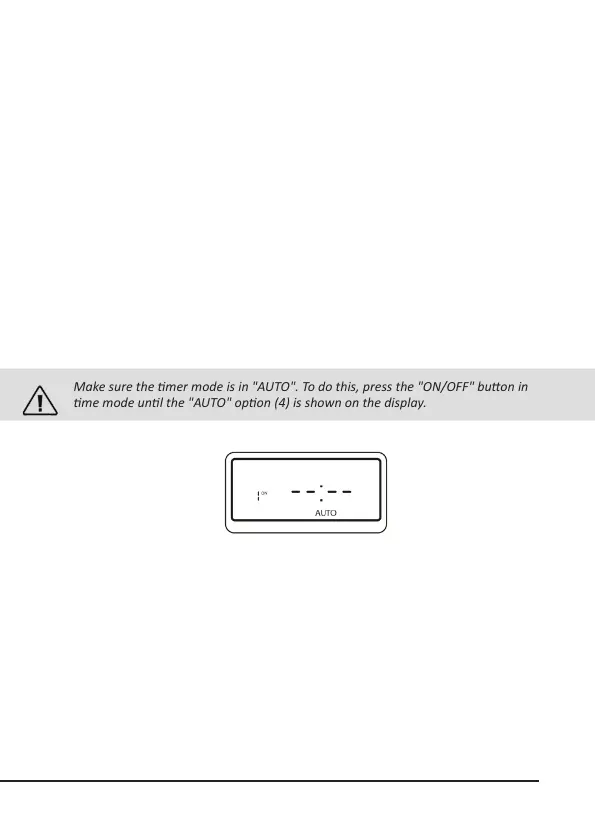
Make sure the mer mode is in "AUTO". To do this, press the "ON/OFF" buon in
me mode unl the "AUTO" opon (4) is shown on the display.
Press the "V+" buon briey. The program menu is shown in the display. You can
rst set the me at which the connected device has to be switched on (ON).
Press the "SET" buon to set the appropriate program. Set the days of the week
using the "V+" and "V-" buons, and then conrm using the "SET" buon. Repeat
the process subsequently for the hour and minute display.


 To Next Page