On your iPhone, go to Settings > Bluetooth and make sure that Bluetooth is turned on.
Press the power button on your headphones for 1 second.
Hold your headphones within 2 inches of your unlocked iPhone. After a few seconds, your
iPhone asks you to connect.
Follow the instructions on your iPhone.
Pair with your Mac or another device that uses Bluetooth
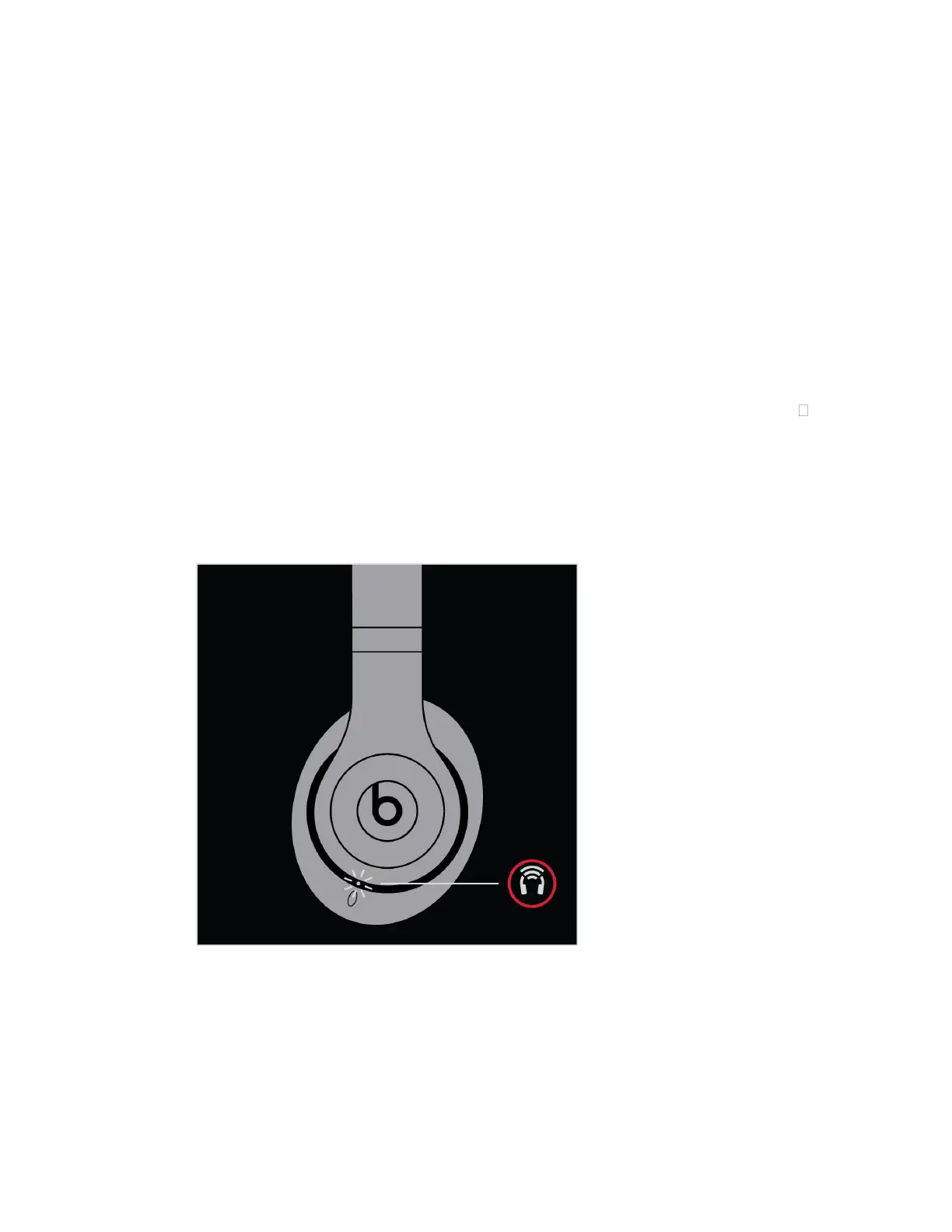
Press the power button on your headphones for 5 seconds. When the five Fuel Gauge lights
flash, your headphones are discoverable.
Go to the Bluetooth settings on your device. For example, on your Mac, choose Apple ( )
menu > System Preferences, then click Bluetooth. Make sure that Bluetooth is turned on.
Select your headphones from the list of discovered Bluetooth devices.
Your headphones automatically pair with your other devices that are signed in to iCloud and
using iOS 11 or later, macOS Sierra or later, or watchOS 3 or later.
Connect to a different Apple device
Your headphones automatically reconnect to the last device you used with them. To connect
to another device, follow these steps.


 To Next Page