11
Aufbau und AnschlüsseReset / Activate Access Point
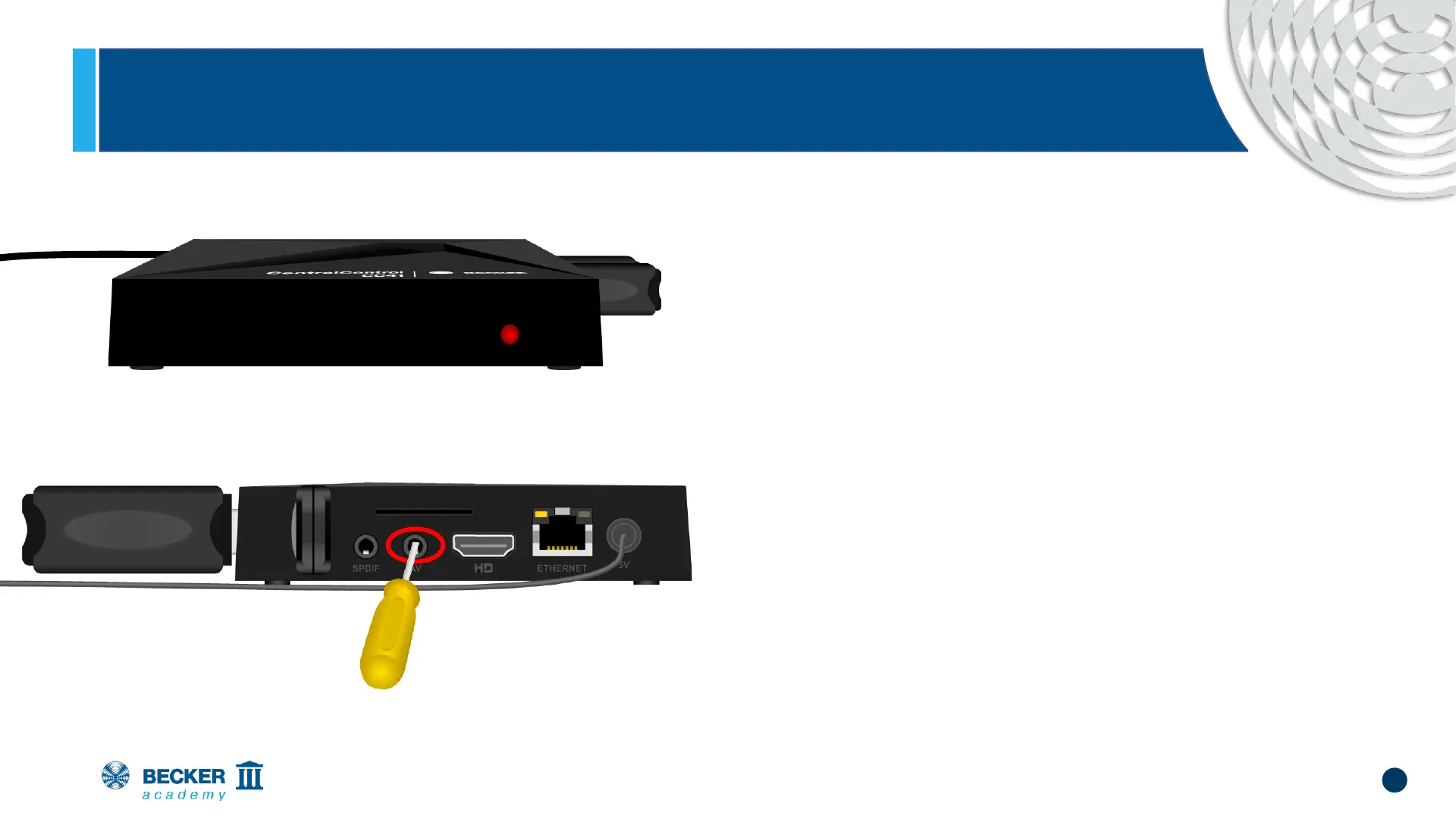
• If the connection fails and the LED on the
front of your CentralControl lights
permanently red, an error has probably
occurred when entering the network data.
• In that case put the CentralControl back into
teach-in mode
• To do this, press the reset button (in the
centre of the bottom of the AV socket) until
the LED confirms the process by flashing
red and blue.


 To Next Page