46
Aufbau und AnschlüsseRemote access
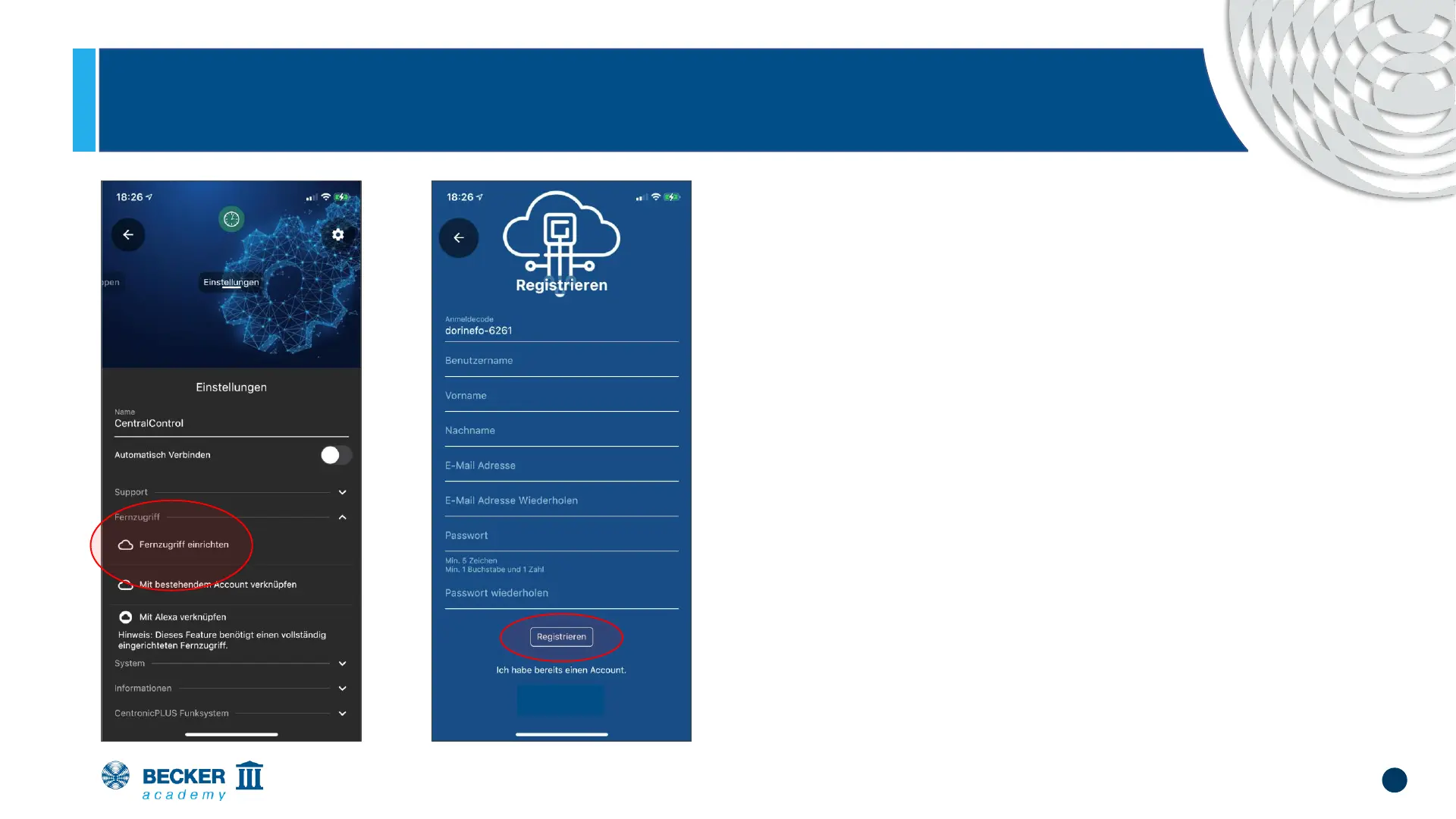
• In the menu item "System", select the option
"Set up remote access".
• Now enter the required information in the
corresponding fields and confirm the
process by clicking "Register”
• Please check your email inbox - you will
receive an activation link
• Note: Please also check your SPAM folder if
necessary!
• Tap on the link to complete the setup


 To Next Page