7
Aufbau und AnschlüsseFirst steps
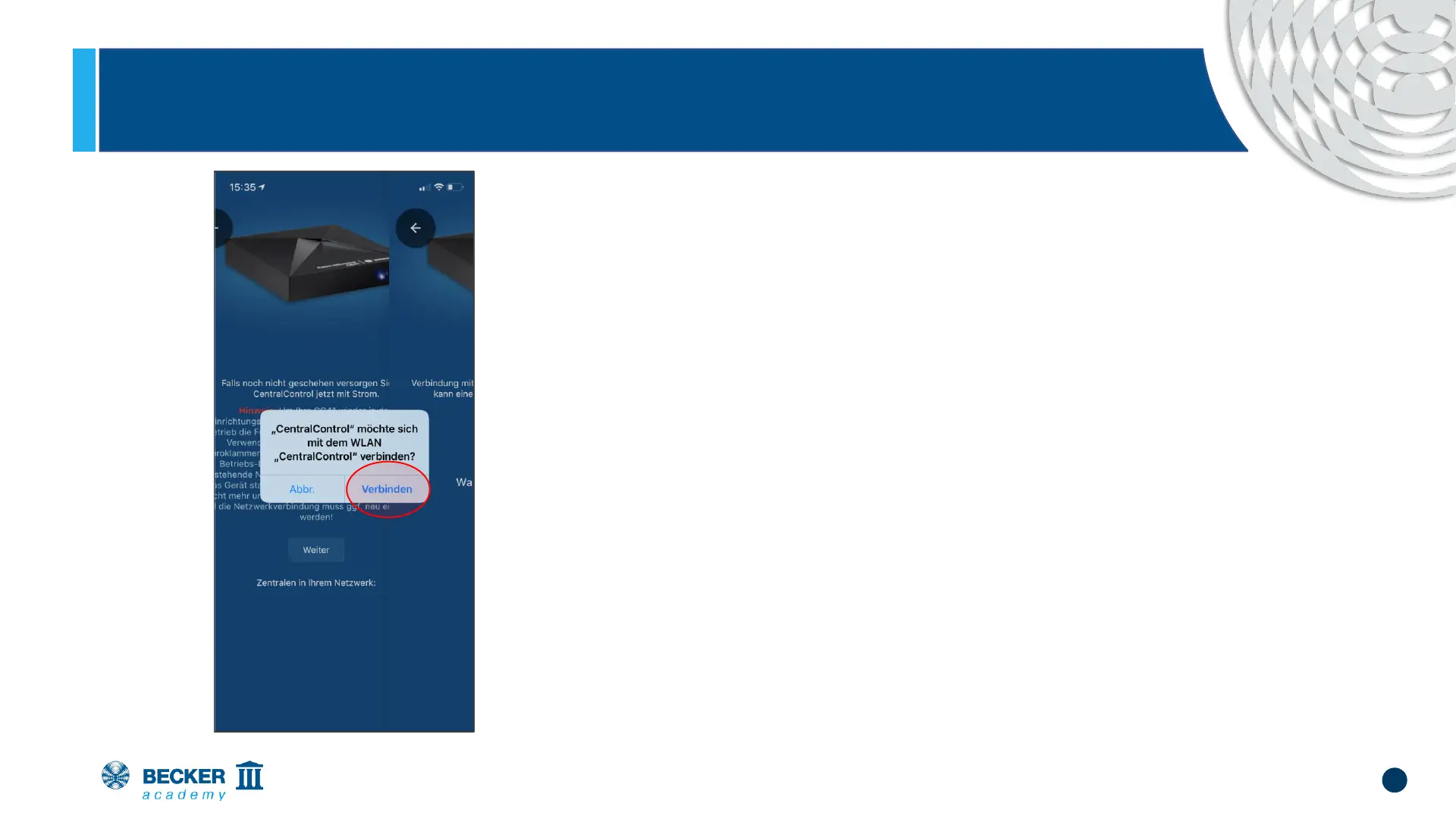
• Allow your mobile phone to connect to the
Access Point of the CC41 and press
"Connect".
• If you are asked for location permissions,
please allow them - the app needs them to
find your CentralControl in the network later.


 To Next Page