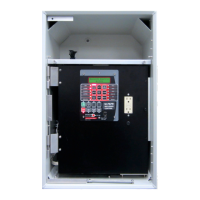
* Power Flow Reverse setting
screens are only available
when the "Reverse Power
Operation" selection under
"Common Settings" is selected
to either: REGULATE
REVERSE,
REG. R MEASURED SRC,
DISTRIBUTED GENERATION,
AUTO DETERMINE or
AUTO DETERMINE
MEASURED. If Distributed
Generation is selected, then
only LDC values can be set.
Selecting BLOCK, IGNORE or
RETURN TO NEUTRAL
disables the Power Flow
Reverse setting screens.
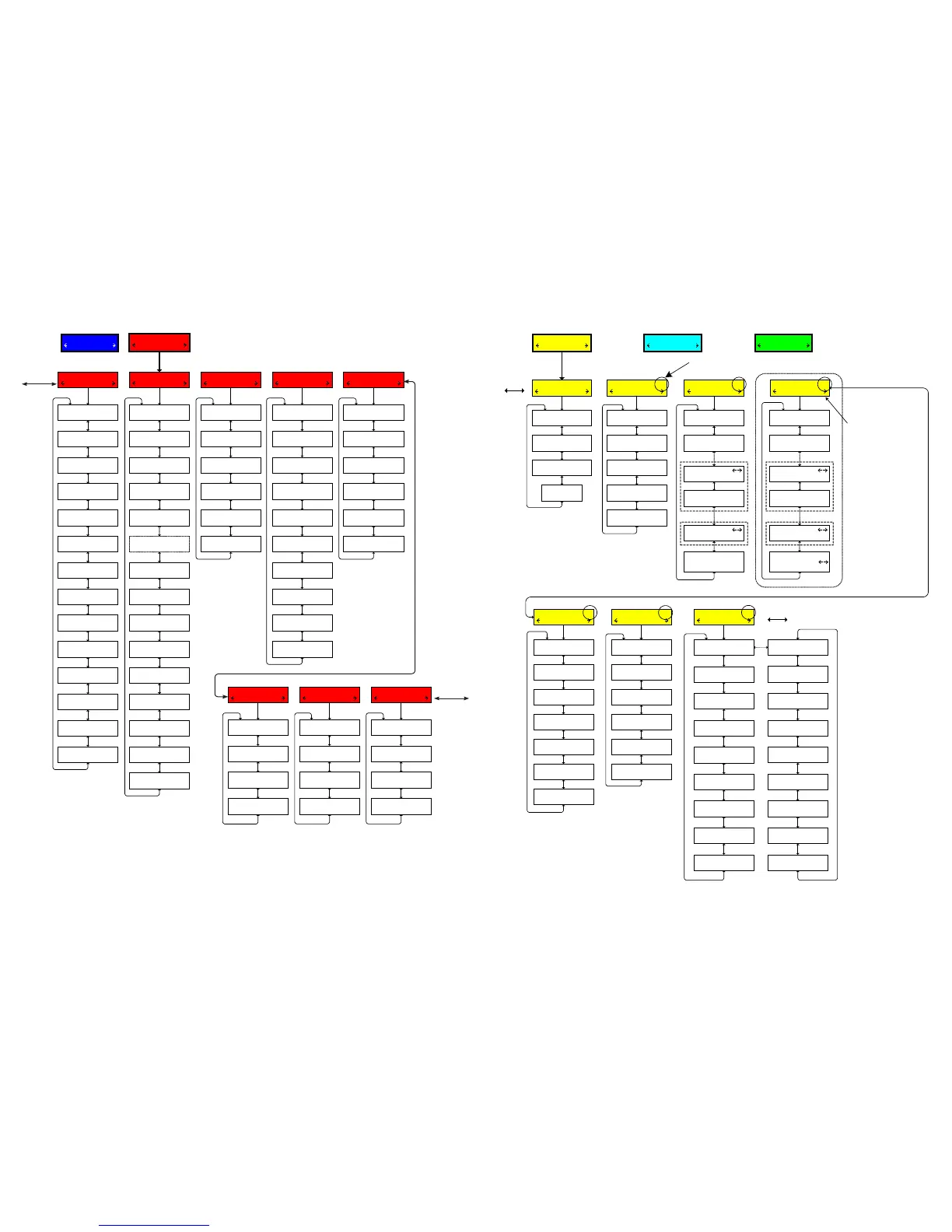
Active Setpoint Profile or Setpoint Profile
Selected for Editing
Limits 1
Profile Settings
Common Settings 1
Block Raise Voltage
xxx.x Volts
Block Lower Voltage
xxx.x Volts
Runup Deadband
x.x Volts
Current Block Limit
xxx mA
Runback Deadband
x.x Volts
Runup Enable/Disable
disable
Active Profile
1
Edit Profile 1 Name
"Empty"
Profile to Edit
1
Repeats for
Profiles 2-4
LDC Selection
RX
Timer Reset
INTEGRATING
Timer Characteristic
DEFINITE
Power Direction Bias
NONE
Rev Power Operation
BLOCK *
Bandcenter Fwd
xxx.x Volts
LDC X Fwd
x Volts
Bandwidth Fwd
x.x Volts
LDC Z Fwd
x Volts
With LDC R,X
With LDC Z
Bandcenter Rev
xxx.x Volts
Bandwidth Rev
x.x Volts
LDC X Fwd
x Volts
LDC Z Fwd
x Volts
With LDC R,X
With LDC Z
VAr Bias 1
Disable on Rev Pwr
disable
Set VAr Bias Method
Step
Set VAr Bias Method
disable (Step, Linear)
Fwd Max Cap Bnk Size
12000 KVAr
Rev Max Cap Bnk Size
12000 KVAr
Lead % Pickup
75
Lag % Pickup
75
VAr Bias Volt Step
1.0 Volts
Max VAR Bias Time
300 mins
Curr Mult Base Value
x
Disable on Rev Pwr
disable
Set VAr Bias Method
Linear
Linear V Bias -X
x Volts
Normlzd Lin V Bias -X
x.x Volts
Linear V Bias -X Lmt
x.x Volts
Linear V Bias +X
x Volts
Normlzd Lin V Bias +X
x.x Volts
Linear V Bias +X Lmt
x.x Volts
To Profile Settings
To VAr Bias
Voltage Reduction 1
VRed Turnoff Time
x Min
Smart VR
disable
Save VR at Power Off
DON"T SAVE
Standard VR
disable
Reduction Step 1 %
2.5
Reduction Step 3 %
7.5
Reduction Step 2 %
5.0
LDC R Fwd
x Volts
Definite (Inverse)
Delay Fwd
xx Sec
Power Flow Rev 1
Power Flow Fwd 1
LDC R Fwd
x Volts
Definite (Inverse)
Delay Fwd
xx Sec
Sheet 2 of 4
800-M-2001D-QSG-08 (03-17)
At any menu screen:
Press EXIT to go to the Menu Header.
Press either to move sideways to the adjacent Menu Header.
COMMUNICATION
CNFG UTIL
CONFIGURATION
SETP COMM
UTILITIES
COMM MNTR
To
Harmonics
To Tap
Information


 To Next Page
 Loading...