If Memory Card is present, the first menu
displayed under Communication is the
Memo
ry Card menu, otherwise the
Memory Card menu is not displayed.
If IEC 61850 is purchased
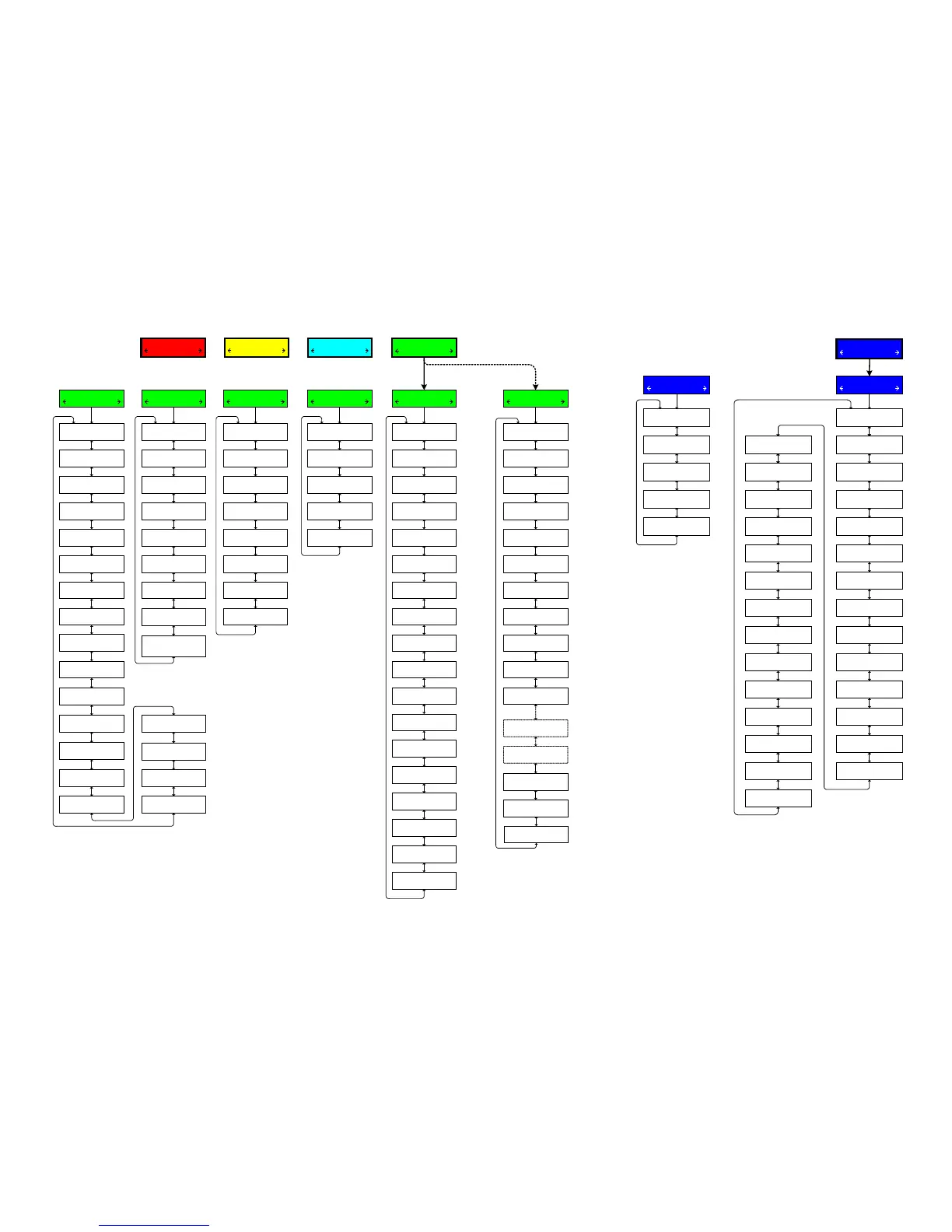
COMMUNICATION
CNFG UTIL
Memory Card
Load Setpoints
Press ENT to begin
Save Setpoints
Press ENT to begin
Save Datalog
Press ENT to begin
Save seq. of events
Press ENT to begin
Save oscillograph
Press ENT to begin
Clone save
Press ENT to begin
Clone load
Press ENT to begin
Load DNP Config
Press ENT to begin
Save DNP Config
Press ENT to begin
Save Metering Data
Press ENT to begin
Firmware Update
Press ENT to begin
Load IEC config
Press ENT to begin
Save IEC Config
Press ENT to begin
SD Quick Capture
Press ENT to begin
Comm Settings
Comm1 Port Type
RS485
Comm2 Port Type
RS232
Comm Protocol
DNP3.0
DNP Configuration
M2001D DNP DEFAULT
CID File ID
M2001D DEFAULT
Src Addr Validation
disable
Substation Address
DNP x
Feeder Address
DNP x
Comm Address
DNP x Mdbus x
Baud Rate
9600
Parity
NONE
Stop Bits
ONE STOPBIT
Sync Time
x mS
Output Pulse
x.x Sec
Comm Access Security
disable
Comm Access timeout
xx sec
TX Delay
xx ms
Heartbeat Option
Disabled
Protocol
MODBUS
Baud Rate
115200
Parity
NONE
Stop Bits
TWO STOPBITS
Sync Time
xx mS
RS232
Bluetooth Enable
ENABLE
Bluetooth Reset
Ready Press ENTER
Bluetooth Protocol
MODBUS
Authentication
disable
Friendly Name
M2001D-1
Bluetooth Pass Reset
Ready Press ENTER
Control BT Device
XX:XX:XX:XX:XX:XX
Bluetooth Mode
MODE0
Bluetooth
Set LCD Contrast: E
************
User Line 1 E
Beckwith Electric
User Line 2 E
M-2001D
Level 1 Access Code
Press ENT to change
Level 2 Access Code
Press ENT to change
Clear Osc Records
Ready Press ENTER
Oscillograph Message
ENABLE
HMI
DHCP Enable
ENABLE
IP Address
0.0.0.0
Net Mask
0.0.0.0
Gateway
0.0.0.0
Enter Modbus Port
502
Enter DNP Port
20000
Auto Negotiation
ENABLE
Keepalive time
7200 sec
Ethernet
Radius Server 1 IP
x. x. x. x
Radius Server 2 IP
x. x. x. x
Radius 1 Auth. Port
1812
Radius 2 Auth. Port
1814
Radius Secret Code
Press ENT to change
IEEE 1686 Standard
not used/
Authen with Encryp*
Radius 1 Acc. Port
1813
Radius 2 Acc. Port
1815
Radius En./Dis.
disable
IPSEC En./Dis.
disable
Load User config
Press ENT to begin
Load IPsec config
Press ENT to begin
SNTP Enable
disable
SNTP Server Address
0.0.0.0
Time Zone GMT
–5 Hr
Sheet 4 of 4
800-M-2001D-QSG-08 (03-17)
CONFIGURATION
SETP COMM
SETPOINTS
MNTR CNFG
MONITOR
UTIL SETP
© 2011 Beckwith Electric Co. All Rights Reserved
Technical Support
www.beckwithelectric.com / 727 544-2326
Email Support: support@beckwithelectric.com
*NOTE: Once IEEE 1686 Standard cyber security is enabled,
the user must enter a valid User Name and Password to
access any menus other than the "Utilities/About" menu. This
selection cannot be changed to "not used" without entering
a valid User Name and Password.
At any menu screen:
Press EXIT to go to the Menu Header.
Press either to move sideways to the adjacent Menu Header.


 To Previous Page
 Loading...