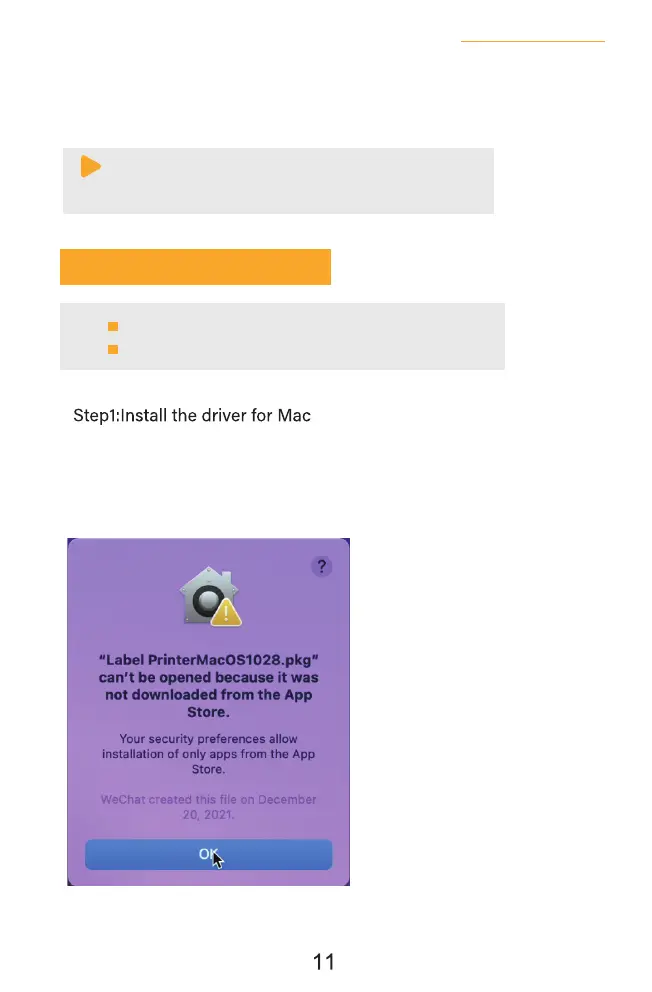
b.Copy driver 'Label Printer-MacOS.pkg'to desk and install it.(You can also download
'Driver for Mac (BY-426BT)' from
https://jadens.com/download-and-video
Driver version may be updated, see latest info at support.jadens.com.
7. Installation for Mac
a.Connect power and computer
Beeprt is only compatible with MAC OS V 10.9 or later.
Installation guide video in U-disk for better reference.
Note:
If you can't print seccessfully, please restart your computer and
printer, install again.
c.Now you can unplug the USB cable from computer, and then Open PDF file (recommend to use
Adobe)>Choose printer named 'Beeprt BY-426BT'>You may set up printer preference like
darkness, speed, size, then click 'Print' (via Bluetooth).
See FAQ at support.jadens.com


 To Next Page
 Loading...