9
ENGLISH
3.2. Configuration
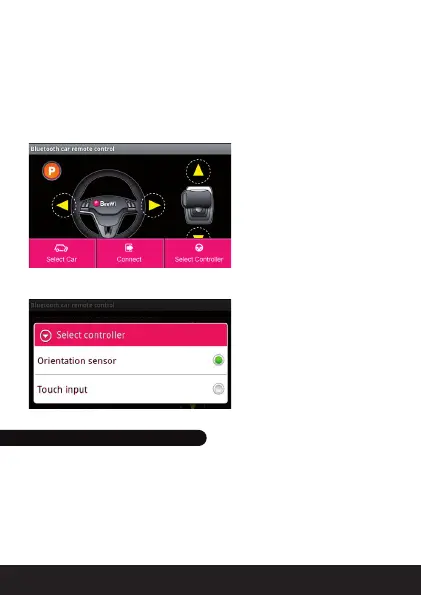
The configuration menu can be accessed by pressing the Smartphone
Menu key. There are 3 different functions offered via virtual keys:
- Select car: to select a car in the list of paired cars
- Connect / Disconnect: to connect or disconnect a car
- Select controller: to chose in between the orientation or touch screen or
mixed controller
To select the controller type, just tick one of 2 choices below.
4.1. Maintenance & other hints
- If vehicle does not respond, move closer to the vehicle and try again.
- If the vehicle loses power and moves slower, it may be necessary to
replace the batteries and to check the wheel mechanism for lint, thread,
hair or dust.
- To avoid damages, never drive the vehicle on a wet floor, on sand, or
in mud, rain or snow.
4. MAINTENANCE & CAUTIONS



 To Next Page