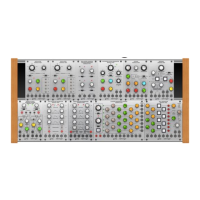
1. CHANNEL LEVEL knobs - Each knob controls
the mix level for its respective mixer channel, and
the knobs are color-coded into two groups four
channels each for further sub-mixing with the
LEVEL A and LEVEL B knobs. !
2. CHANNEL ON/OFF buttons - These buttons
select and indicate which mixer channels are on
or off. Press a button to manually select and
activate a channel. When a channel is active, the
button will light and the gate for that channel will
be open. During a sequence, when an individual
channel is active during its step, the button for
that channel will light for the duration of the
sequence step. During a sequence you can press
an on/off button to manually turn on a channel,
and that channel will stay on during the sequence
until you press the channel’s on/off button again.!
3. EXCLUSIVE-ON buttons - To use this function,
the COUNTER rotary switch should be set to OFF.
Press one of these red buttons to solo that
button’s respective channel and preview the
signal. When a channel is soloed, the CHANNEL
ON/OFF button for that channel will light, and the
other channels will be muted. You may also press
the CHANNEL ON/OFF buttons on other
channels to hear those channels along with the
soloed channel. When the mixer is in 4-channel
mixer mode the EXCLUSIVE-ON buttons 1-4
operate independently from channels 5-8.!
4. LEVEL A - When in 4-channel mixer mode, use
this knob to adjust the overall mix level for the
channel 1-4 group. When 8-channel mixer mode
is enabled, this knob is master to all 8 input
channels. !
5. LEVEL B - When in 4-channel mixer mode, use
this knob to adjust the overall mix level for the
channel 5-8 group. When 8-channel mixer mode
is enabled, this knob is master to all 8 input
channels. !
6. EXT ADV - Use this input to route in gate or clock
signals to externally clock the rate at which the
sequence advances.!
7. IN 1-8 - Use these jacks to route audio signals
into mixer channels 1-8 via cables with 3.5 mm
connectors.!
8. EXT GATE (ENABLE/DISABLE) - This two-way
switch determines whether the sequencer is
controlled via gate signals from the EXT GATE
LINK 12-way connector located in the module
underside. This 12-way connector allows
compatible modules such as the CLOCKED
SEQUENTIAL MODULE 1027 to act as a master
to the 1050 module. When DISABLE is selected
the external gate signals will have no effect.
When ENABLE is selected the 1050 module will
follow the connected MASTER module. When
using the EXT GATE input, the COUNTER switch
would normally be set in the OFF position,
however the module can be clocked from both
the internal COUNTER.!
9. PULSE GEN/OFF/MANUAL ADVANCE - Use
this 3-way switch to determine whether the
module advances through the channels in a
sequence!
10. PULSE RATE - Use this knob to control the
speed by which the internal pulse generator
clocks and advances through each sequencer
step.!
11. COUNTER/MIXER - This 3-way switch
determines the sequence switching logic
(COUNTER: two parallel rows of four versus a
single sequence row of eight) and the audio
routing logic (MIXER: two groups of four channels
mixed to separate OUT A and OUT B outputs
versus a single group of eight channels routed to
both outputs). In the left position, the sequencer
will count through the channels in two parallel
rows of four, while the mixer outputs each row of
four to separate outputs; in the far right position
the sequencer will count through all of the
channels in a single sequence row of eight, while
the mixer routes all right channel as a single
group to both outputs; the middle position is a
mixed setting where the sequencer runs through
the channels in two groups of four, but all eight
audio channels are mixed and sent out as a
single group.!
12. COUNTER - Use this rotary switch to control the
number of steps in the sequence before the cycle
repeats. When the COUNTER side of the
COUNTER/MIXER switch is set for two
sequences of four steps each, the COUNTER
switch will only function up to the 4 setting.!
13. EXT GATE LINK CONNECTOR - To connect the
1050 module to a 1027 module, insert the
included 12-way cable into the EXT GATE LINK
connector found on the 1050 module’s underside,
and then insert the other end of the cable into the
1027 module’s EXT GATE LINK connector. The
1027 will now be the master and the 1050 will be
the slave when the EXT GATE switch is set to
ENABLE.!
14. OUT A/B - Use these outputs to route the final
mix out of the module for further processing
elsewhere. When the COUNTER/MIXER switch is
in the left position, the mixer will send the channel
1-4 group out through OUT A, while the channel
5-8 group goes out through OUT B. When the
COUNTER/MIXER switch is in the center or right
postion, all channels are mixed together and sent
out as duplicate mono signals through both OUT
A and OUT B.


 To Previous Page
 Loading...