28 / 47 EN
Refrigerator / User Guide
Using the product
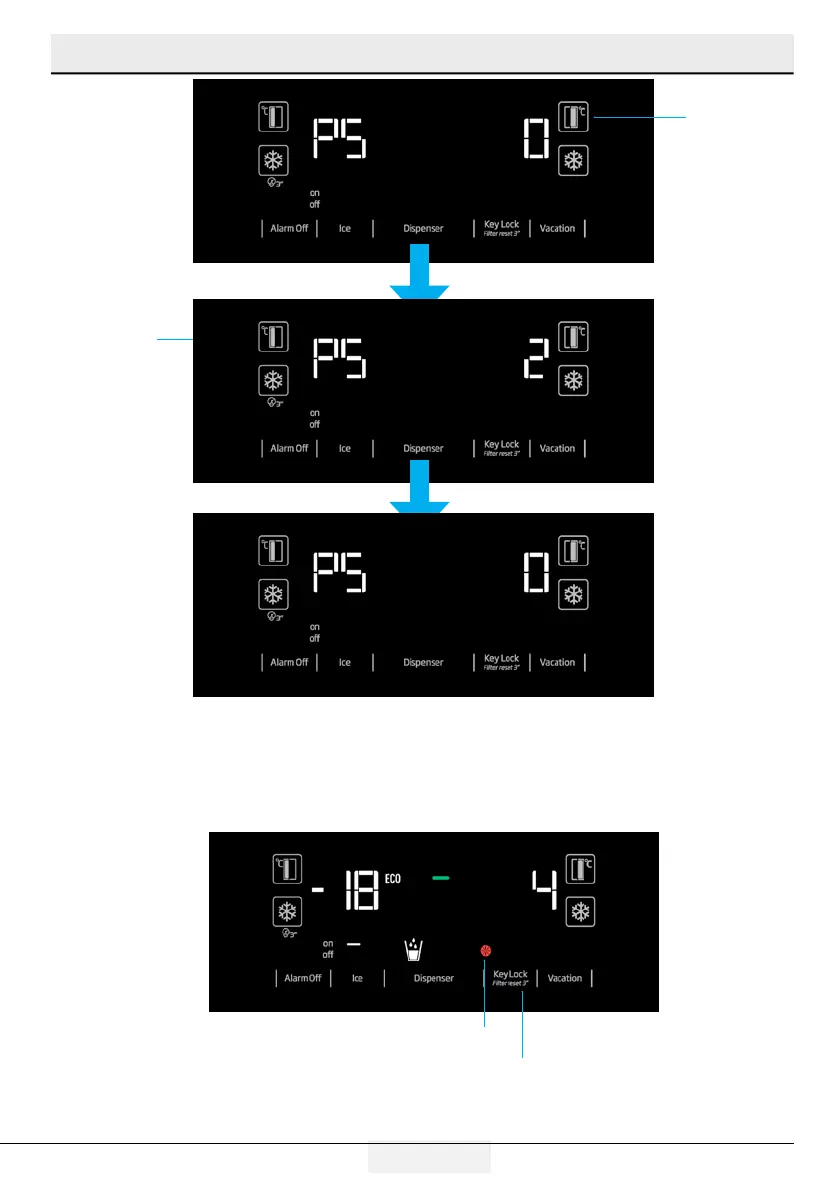
Press twice
Press once
“Upon seeing PS 0 screen, de-energise the refrigerator and energise it again. This way, the filter counter
will be activated. The filter warning LED will be active on the display in 130 days. After replacing the filter
with a new one, press the Key Lock button for 3 seconds to make the filter counter to count down from
130 days.
Repeat the steps given above to cancel this function.”
Filter warning light
Press for 3 seconds while
the filter warning LED is ac
-
tive to reset the filter time.


 To Next Page