Installing Belkin Automatic Power
Management Software
Step 2:
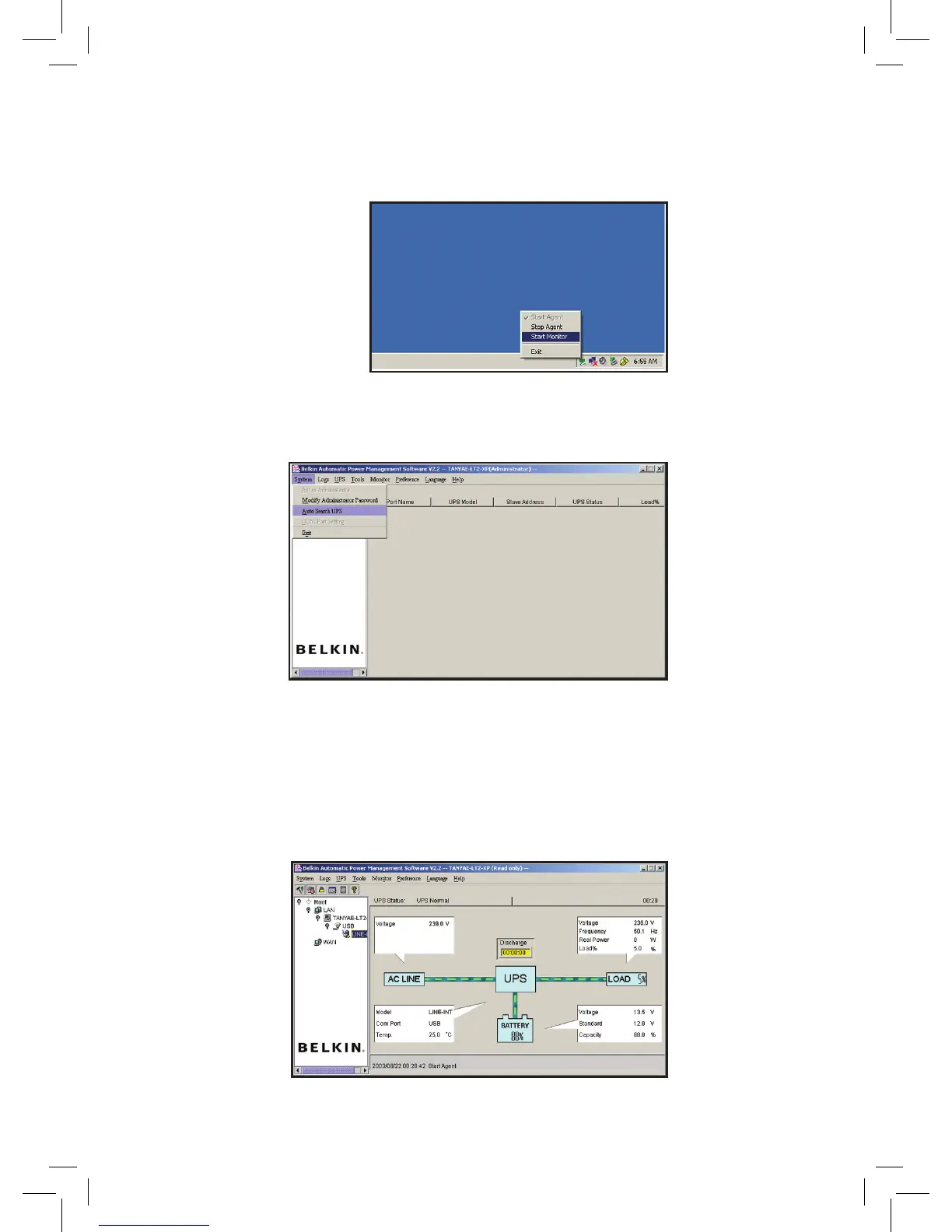
To launch the software,
PC - double click agent icon in your system tray to start the monitor
Mac - click the agent icon in your dock and select “Start Monitor”
Step 3:
Select System Menu then “Auto Search UPS”, the software should now detect your
connected UPS.
Step 4:
Using the menu system on the left hand side of the software drill down levels until you
reach the “LINE INT” level, you should receive a visual depiction of the operating UPS
and general information about it’s status.
7
Please consult the help menu in the software to configure advanced software features




 To Next Page