i
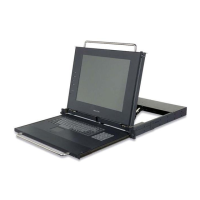
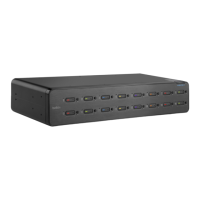
18.5” Widescreen Rack-Mount Console with Built-In PRO3 KVM Switch
SECTIONS 1 2 3 654 87Table of Contents
TABLE OF CONTENTS
1 Introduction . . . . . . . . . . . . . . . . . . . . . . . . . . . . . . . . . . . . . . . . . . . . .1
Package Contents ............................................ 2
2 Overview. ............................................... 3
Feature Overview............................................. 3
Equipment Requirements ...................................... 4
System Requirements......................................... 5
Unit Display Diagrams......................................... 6
Specifications................................................ 7
3 Installation...............................................8
Pre-Configuration ............................................. 8
Connecting Servers to the Rack-Mount Console.................... 9
Connecting the Rack-Mount Console with Multiple
PRO3 KVM Switches (Daisy-Chaining) .......................... 13
Powering Up the Systems ................................... 17
4 Using your Rack-Moun
t Console ......................... 18
Selecting a Server or BANK Using Hot-Key Commands ........ 18
AutoScan Mode ............................................ 21
On-Screen Display (OSD) ................................... 21
Keyboard Hot-Key-Command Shortcuts ...................... 27
Sun Combo and Mac Key Mapping ........................... 28
Updating Firmware ......................................... 29
5 Frequently Asked Questions. ............................ 30
6 Troubleshooting........................................ 32
7 Glossary .............................................. 35
8 Information ............................................ 37


 To Next Page