10
GETTING STARTED
Using the WPS Button
1. Start WPS Push Button Connection (WPS PBC) on your
computer or other Wi-Fi device that you would like to connect
wirelessly to your Router. Often there will be a button for this
purpose in software that came with the device, or a physical
“WPS,” “PBC,” or “Security” button on the device itself.
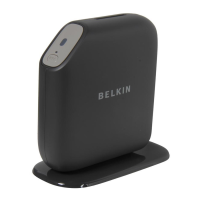
2. Within two minutes, press the WPS button on your Router.
The WPS light (small light above WPS button) will blink blue while it
listens for your Wi-Fi device. Once a connection is established, the
light will turn blue and then go out. If a connection is not established,
the light will blink amber. You may repeat the process to try again.
You can repeat this process for each WPS-enabled
device you’d like to add to your network.



 To Next Page
 Loading...