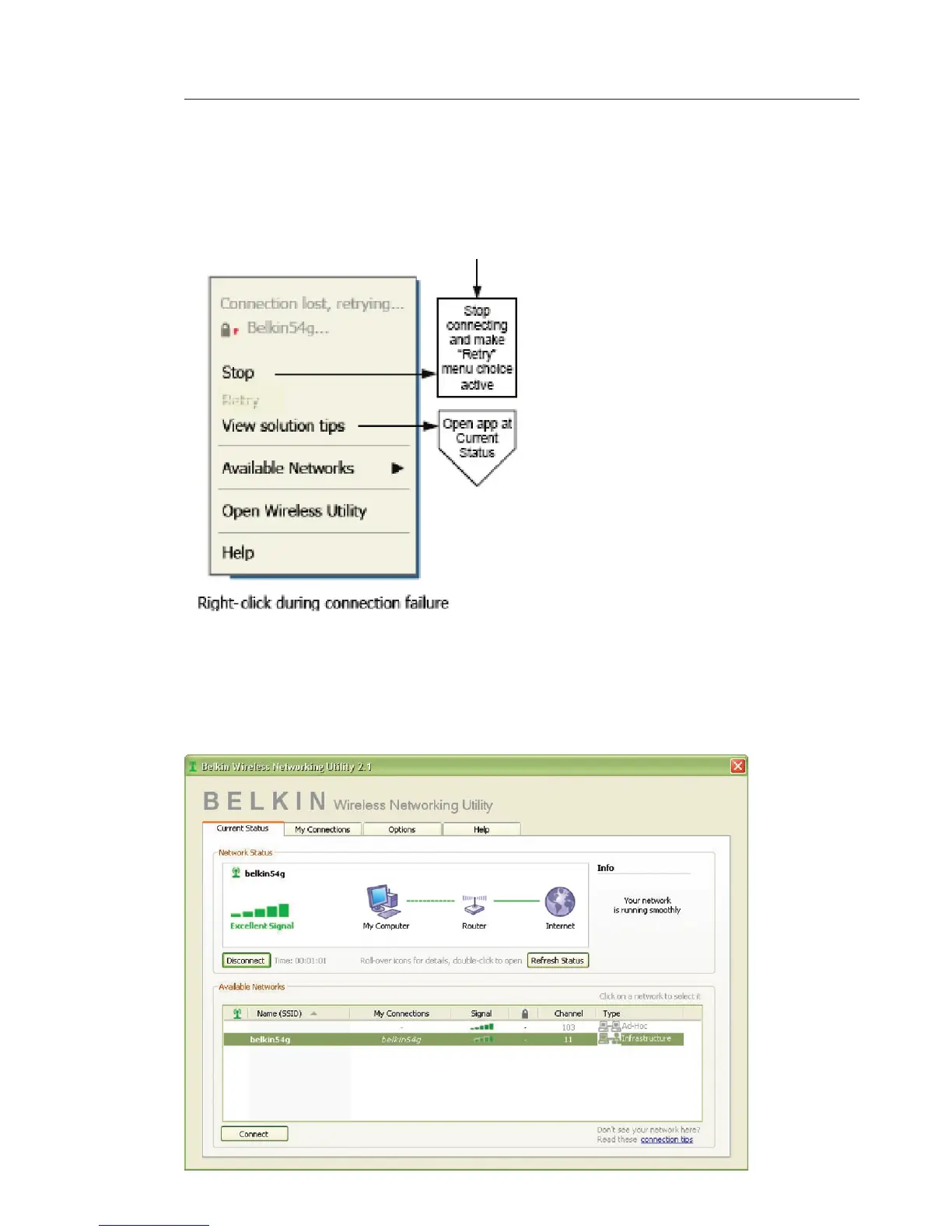
Connection Failure
Other options will appear during attempts to reconnect. To stop
connecting, click “Stop” and to reattempt connection, click “Retry”.
Network Status and Solution Tips
To further understand the current Network Status, click “Open Wireless
Utility”. The default screen will be the “Current Status” tab and the
“Network Status” section determines which connections are good and/or
faulty.






 To Next Page