21
Command Mode
Activate this feature via „Command“ switch (green LED on)
Find more detailed information in:
Operational Features (front panel) „Command“ switch.
Selection and confirmation of any point to be modified will be executed by the ‚Enter‘
button of the wheel.
Find more detailed information in:
Operational Features (front panel) „ENTER“.
Modification of any selected parameters is executed by the „wheel“.
Find more detailed information in:
Operational Features (front panel) „SET „.
To jump menu pages, use the „Page/Exit“ key.
Find more detailed information in:
Operational Features (front panel) „Page / Exit „.
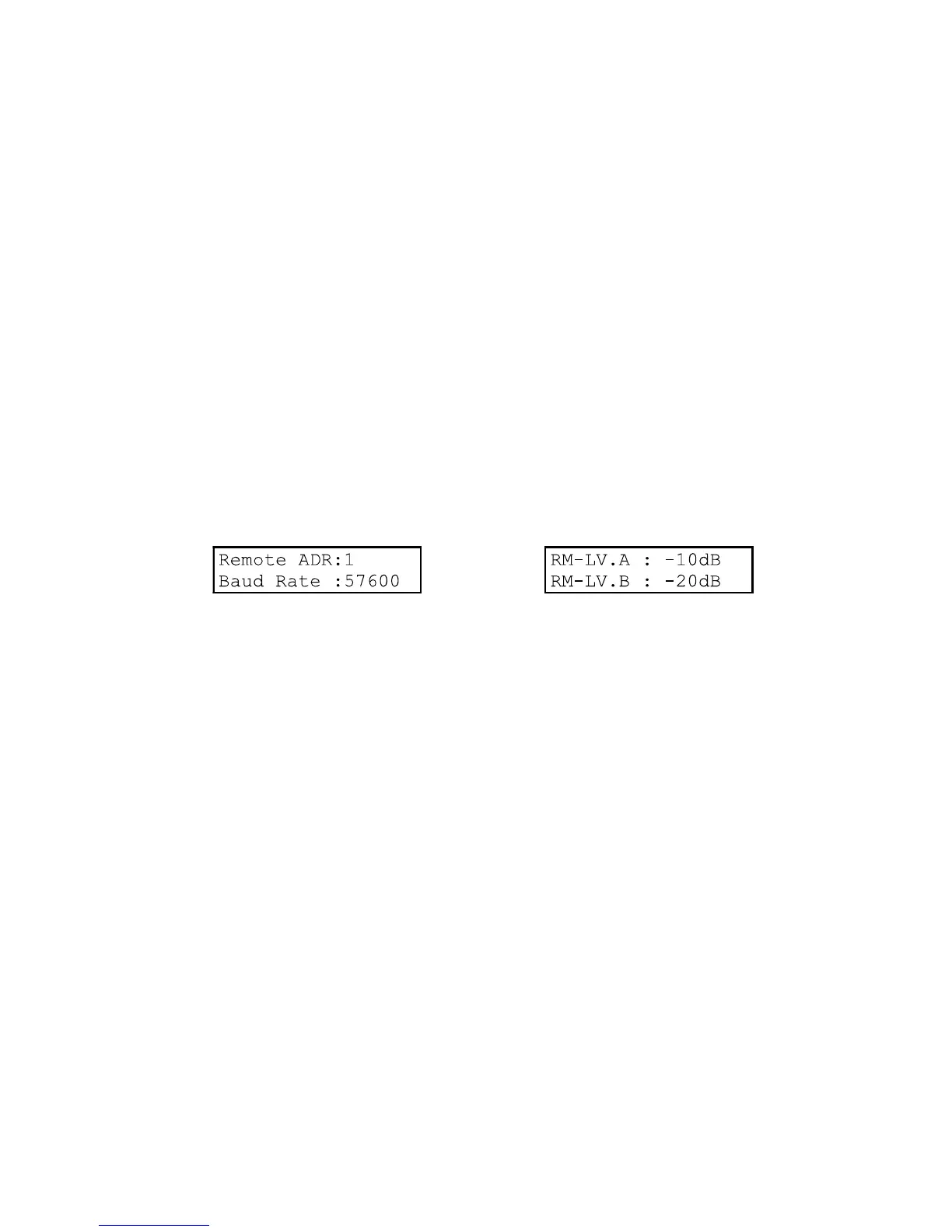
Page 1
Parameters:
Remote address: Remote Control address of any individual power amplifier.
Possible addresses: 1 - 225.
Data communication between all linked power amplifiers and the external controller via
RS485 port. In order to communicate with any specific power amplifier, the controller
must have its exact address.
In order to avoid data conflicts. each power amplifier must have different address.
Baud Rate: Transmission speed of the RS485 port in baud.
Speed selector: 9600 / 19200 / 28800 / 57600 .
Remote Level: Input signal damping in „dB“ for CH.A and CH.B, when
„Remote Control“ is active.
This preselected value will be kept by the system as long as no communication between
the external Controller and the SCA-2/4MR has instructed otherwise.
Selectable range: -88dB - 0.0dB .



 To Next Page
 Loading...