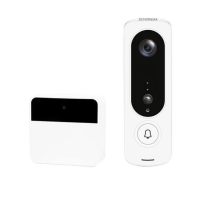
1.2
Doorbell Button Function Description
Lens Front capture device for all video.
Infrared LEDs Infrared LEDs to aid with vision and recording in
darkness.
Microphone Used to record audio for playback and two-way
talk.
LED Indicator Shows the status of the doorbell.
Motion Sensor Detects movement in front of the doorbell.
Light Sensor Measures the light level and activates night vision
when necessary.
Call Button Activates the doorbell.
Speaker Built-in speaker for two-way talk.
Reset Button Press for 5 seconds to reset the doorbell.
Micro USB Port Plug in a USB cable to charge the doorbell.
MicroSD Cart
Slot
Insert a MicroSD card for recording events for
playback (without a Tuya app subscription).
Batteries The battery compartment for powering the
doorbell.
Security Screw
Hole
Insert the security screw to keep the doorbell


 To Next Page
 Loading...