10
Operation Details (cont)
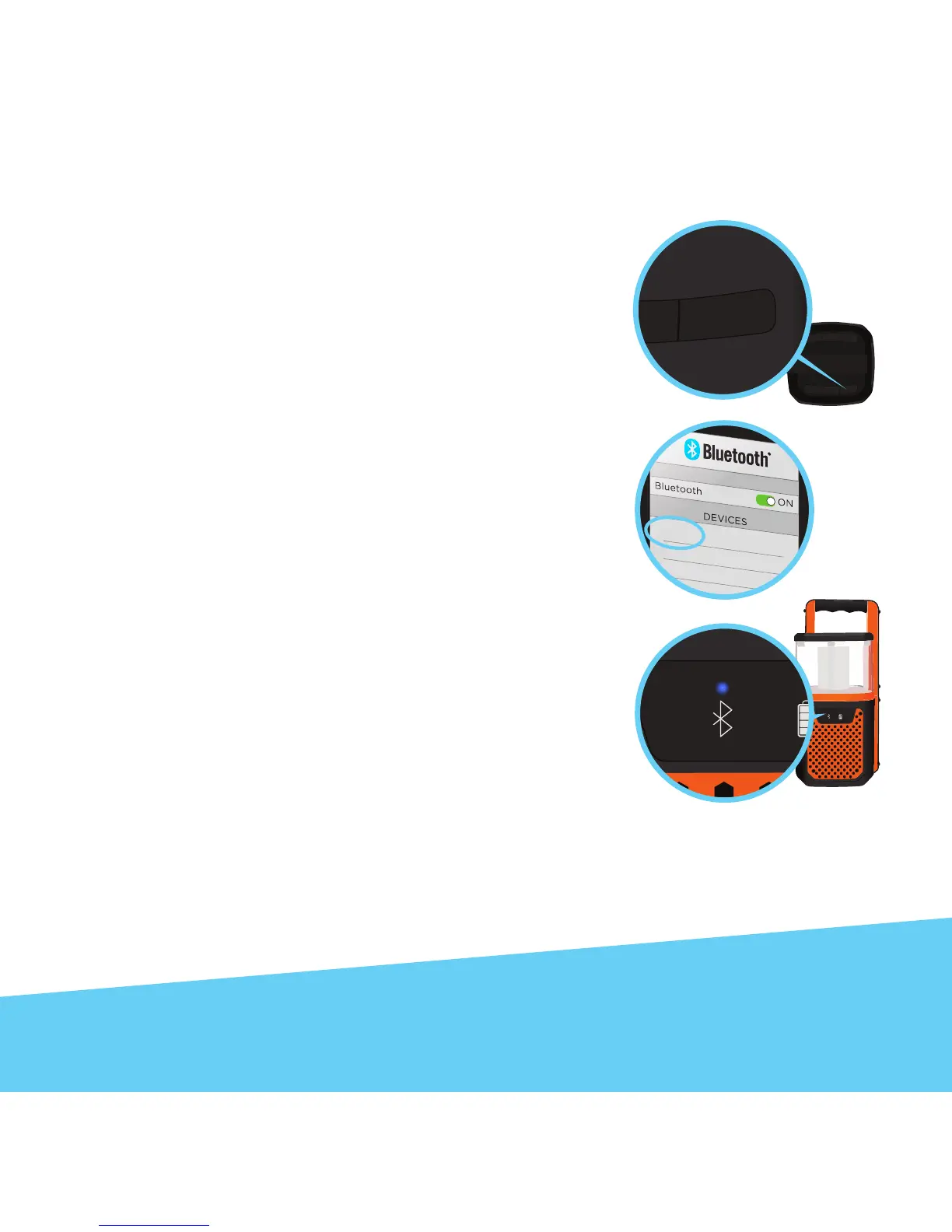
1. Press the AUDIO button to turn on the speaker. A tone
will sound to indicate that the speaker has powered on
and is ready to pair with your device. The blue Bluetooth
IndicatorLEDwillashrapidly.
2. Activate Bluetooth on your smartphone or other
Bluetooth enabled device (refer to your device user guide
for details). Your smartphone/device will now begin
searching for Bluetooth devices.
3.Whenyoursmartphone/devicenishessearching,
select “EXO-900” from the device list. When connected, a
tone will sound from the speaker and the blue Bluetooth
IndicatorLEDwillremainonwithoutashing.
After initial pairing, “EXO-900” will appear in your device list and a connection
will automatically be established when the speaker is turned on and Bluetooth is
activated on your device. A tone will sound when the device is powered on and a
tone indicating a successful Bluetooth connection will follow.
Useyourdevicetondthemusicyoulove.Hitplayonyourdevice.Enjoyyour
music.
NOTE:WhentheBluetoothconnectionislost,theblueBluetoothIndicatorwillbeginashing.


 To Next Page