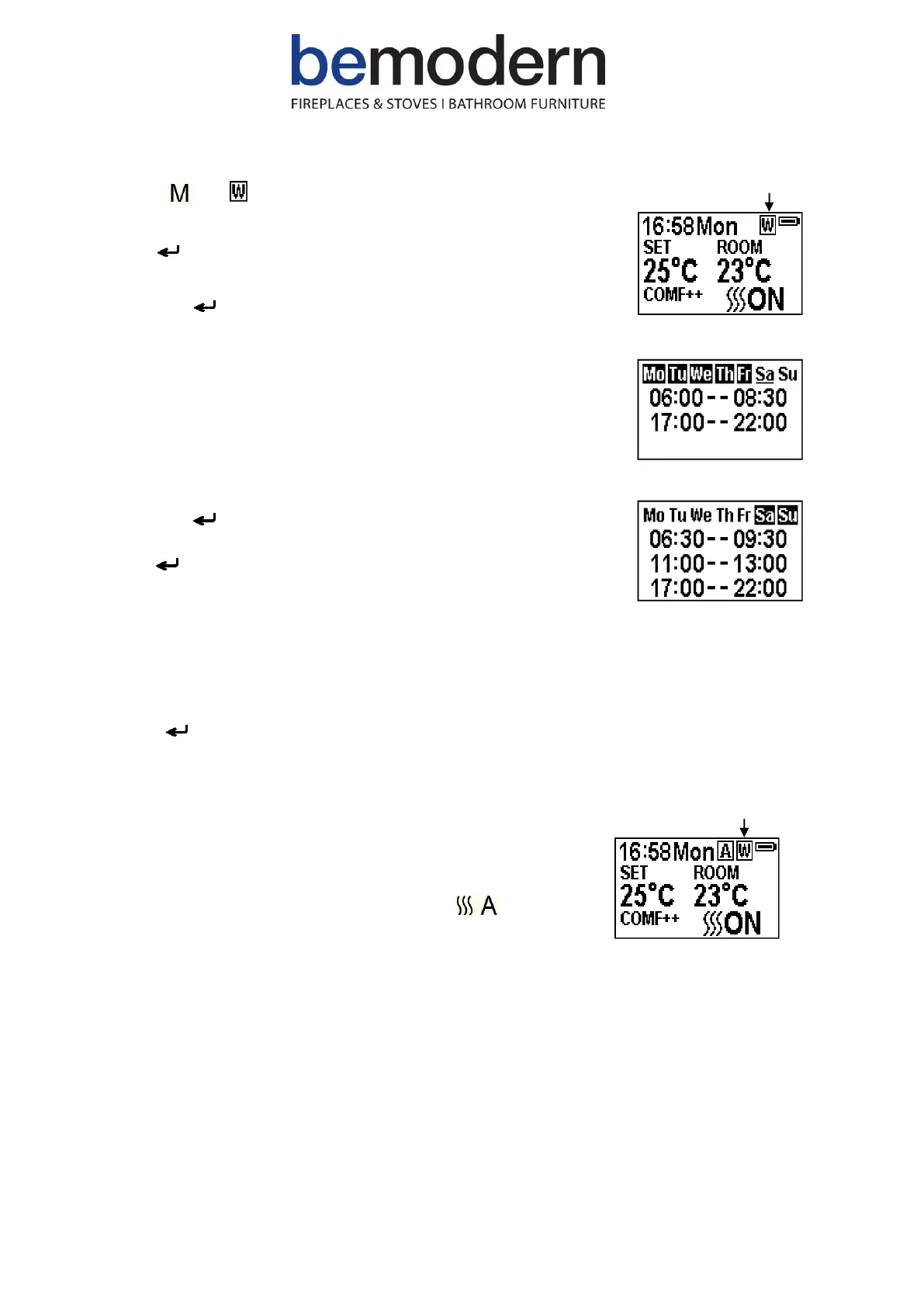
R21 Press until is shown at the upper right corner of the
screen then enter the week timer heating mode.
R22 Hold button for 6 seconds to enter the weekly timer setting
Press ‘←’ or ‘→’ to move the cursor (a flashing underline),
press the button in the corresponding week position to select
(the character is highlighted) or cancel (the character is
displayed normally) the current setting. Several days can be
selected together.
Press the ‘→’ button to move the cursor to the time period
setting area. Press ‘←’ or ‘→’ to choose hour or minute, press
‘+’ or ‘-’ to set the number.
Max of 3 heating periods per day. The minute will increase /
decrease by 15 minutes per press.
Press the to set the heating time for the selected day(s) and
return to the week line.
Hold for 3s or wait for 10s to save and exit the heating time
period setting.
R24 If heating needs to be turned off, it will be necessary to
go back to the Normal Control Mode to turn off.
Advance Mode
R25 Under the daily and week timer mode, press to turn the
heater off when the heater is on during a pre-set heating period.
Or turn the heater on when the heater is off in between pre-set
heating periods.



 To Next Page