I
I
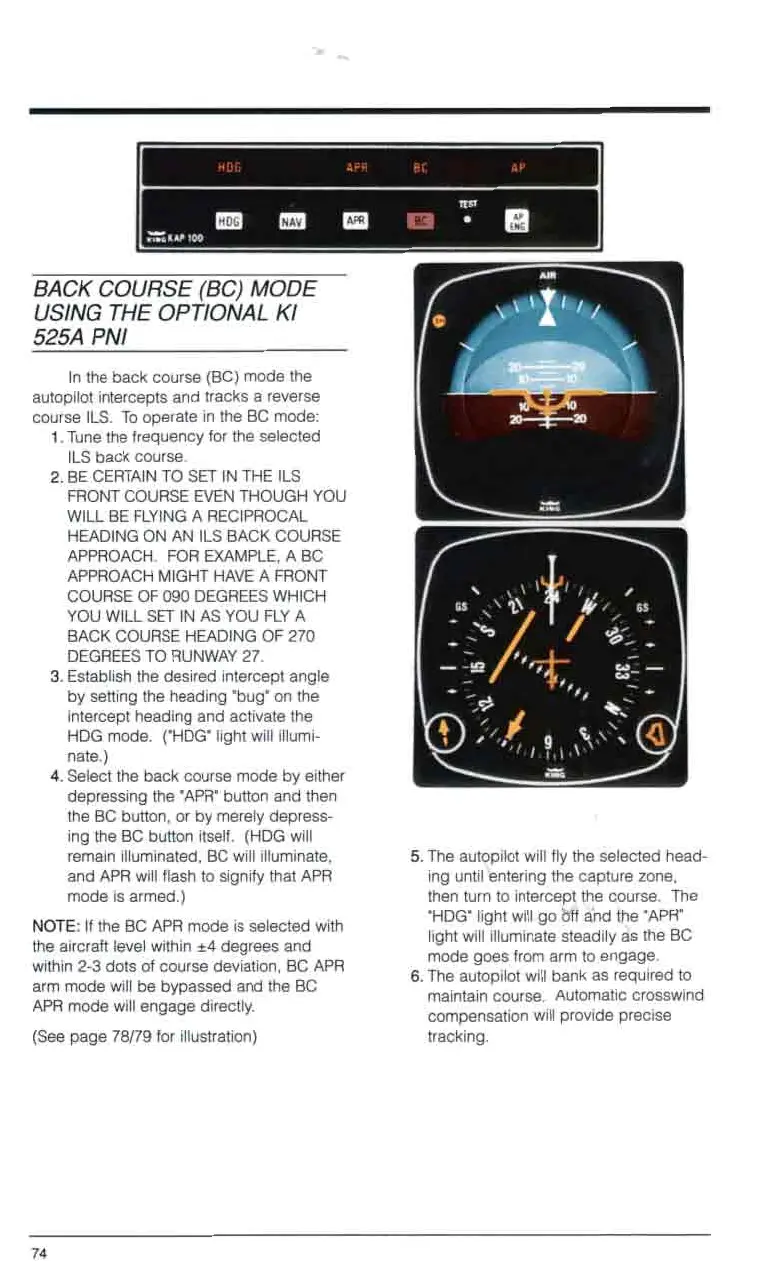
BACK COURSE (BC)
MODE
USING THE OPTIONAL KI
525A PNI
In the back course (BC) mode the
autopilot intercepts and tracks a reverse
course ILS. To operate in the BC mode:
1,
Tune the frequency for the selected
2.
BE CERTAIN TO
SET
IN THE ILS
ILS back course.
FRONT COURSE EVEN THOUGH YOU
WILL BE FLYING A RECIPROCAL
HEADING ON AN ILS BACK COURSE
APPROACH. FOR EXAMPLE, A BC
APPROACH MIGHT HAVE A FRONT
COURSE OF
090
DEGREES WHICH
YOU WILL
SET
IN AS YOU FLY A
BACK COURSE HEADING OF
270
DEGREES TO RUNWAY
27.
3.
Establish the desired intercept angle
by setting the heading 'bug' on the
intercept heading and activate the
HDG mode. ('HDG' light will illumi-
nate.)
4.
Select the back course mode by either
depressing the 'APR' button and then
the BC button, or by merely depress-
ing the BC button itself. (HDG will
remain illuminated, BC will illuminate,
and APR will flash to signify that APR
mode is armed.)
NOTE:
If
the BC APR mode is selected with
the aircraft level within
*4
degrees and
within
2-3
dots of course deviation, BC APR
arm mode will be bypassed and the BC
APR mode will engage directly.
(See page
78/79
for illustration)
I
0
0
0
0
0
0
0
0
0
0
0
0
0
0
0
0
0
0
0
0
0
0
0
0
0
0
0
0
0
0
0
0
0
0
0
0
tracking.
0
0
0
0
0
0
0
5.
The autopilot will fly the selected head-
ing until entering the capture zone,
then turn to intercept the course. The
'HDG" light will go
brr
ahd the 'APR'
light will illuminate steadily
as
the BC
mode goes from arm to engage.
6.
The autopilot will bank as required to
maintain course. Automatic crosswind
compensation will provide precise
0
74



 To Next Page