Thetford Fridge
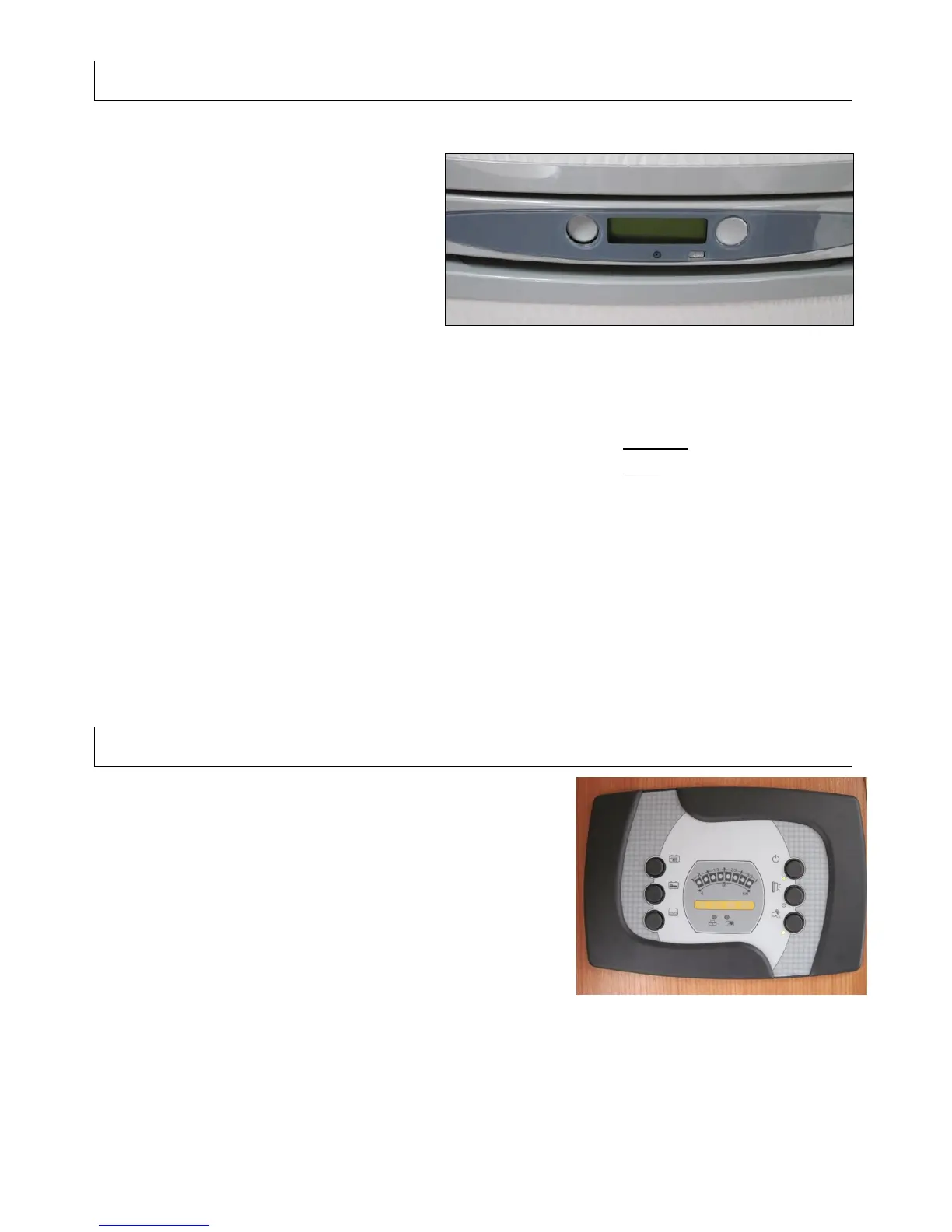
Small square tab under the display is
the main on / off switch.
Left hand push button selects power
source.
Right hand push button selects
temperature.
Symbols within the display:
Battery (engine) for use when the vehicle is in motion.
Flame (gas) for use when vehicle is parked without mains connection.
Power lead (mains) for use when vehicle is parked with mains connection.
Auto In this setting the fridge will always find the
strongest source.
Should a small blue light begin to flash or a spanner symbol appears in the display a fault
has occurred. Check that the fridge is in the correct mode, check the gas is turned on;
check the electrical hook-up is connected securely. Turn the fridge off for 15 seconds and
turn on again using the small grey button, repeat this on 2 or 3 times should the blue
light re-appear.
Main Control Panel Symbols
Top left: Time and external temperature
Middle left: leisure and engine battery level
Bottom left: Clean & waste water level
Top right: External door light
Middle right: Main power on / off switch
Bottom right: Water pump on / off switch
The display will show the results of the above, the
display will also show a cable and plug when the mains
hook-up is correctly ‘hooked-up’



 To Next Page
 Loading...