13 How to assemble your monitor hardware
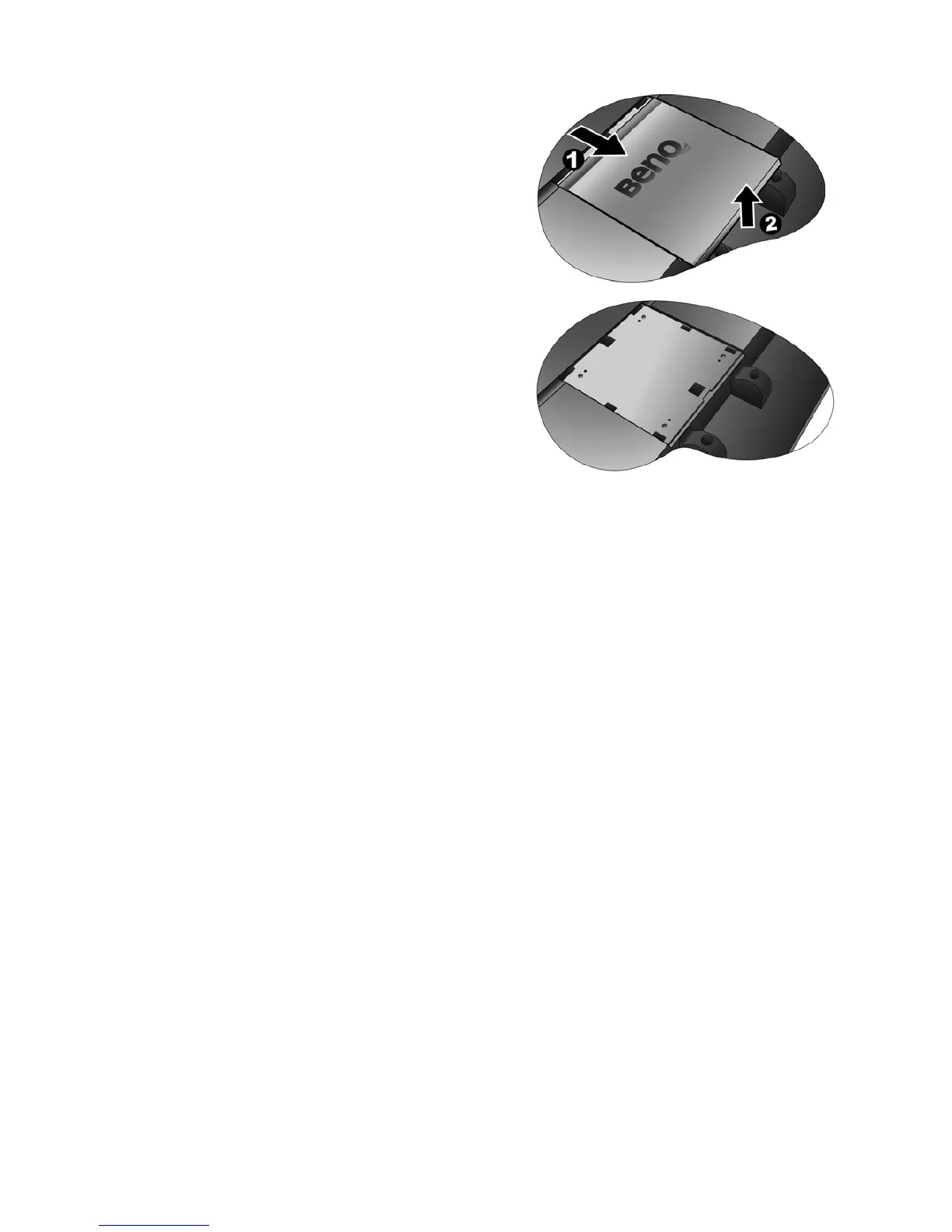
3. Remove the rear cover.
Slide the rear cover back toward you to remove it. The screw
plate at the back of the monitor could be revealed.
4. Follow the instruction manuals of the wall mount
bracket you purchased to complete the installation.



 To Next Page
 Loading...
