23 How to install your monitor’s software
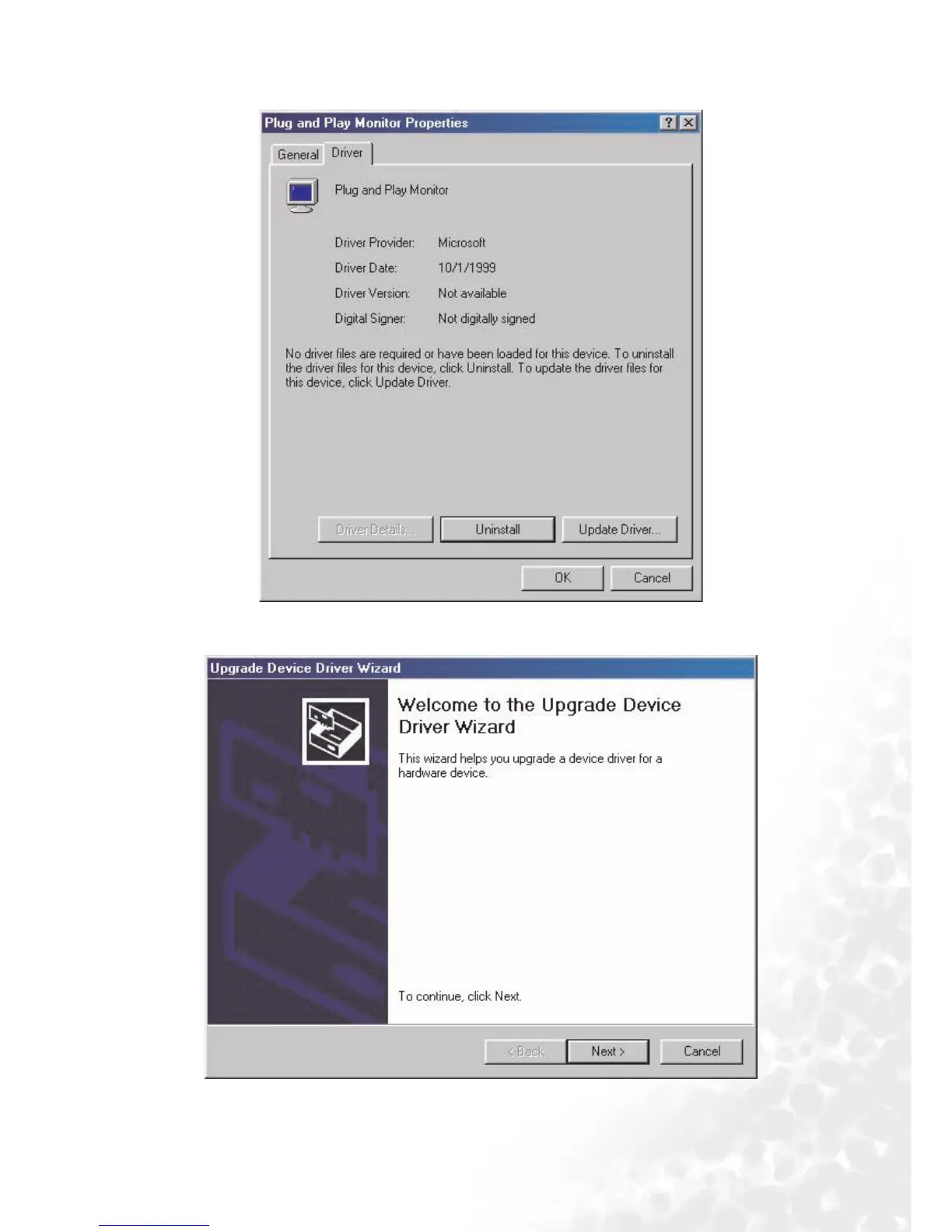
6. Select “Driver
DriverDriver
Driver” tab then click “Update Driver
Update DriverUpdate Driver
Update Driver”.
7. The “Upgrade Device Driver Wizard
Upgrade Device Driver WizardUpgrade Device Driver Wizard
Upgrade Device Driver Wizard” will pop up. Then click “Next
NextNext
Next”.



 To Next Page