Operation 47
English
i. These buttons function the same as the ones on the OSD menus or remote control.
See
"Using the menus" on page 26
and
"Remote control" on page 11
for details.
The Menu button can also be used to go back to previous OSD menu, exit and save menu
settings.
ii. To switch input source, click on your desired signal.
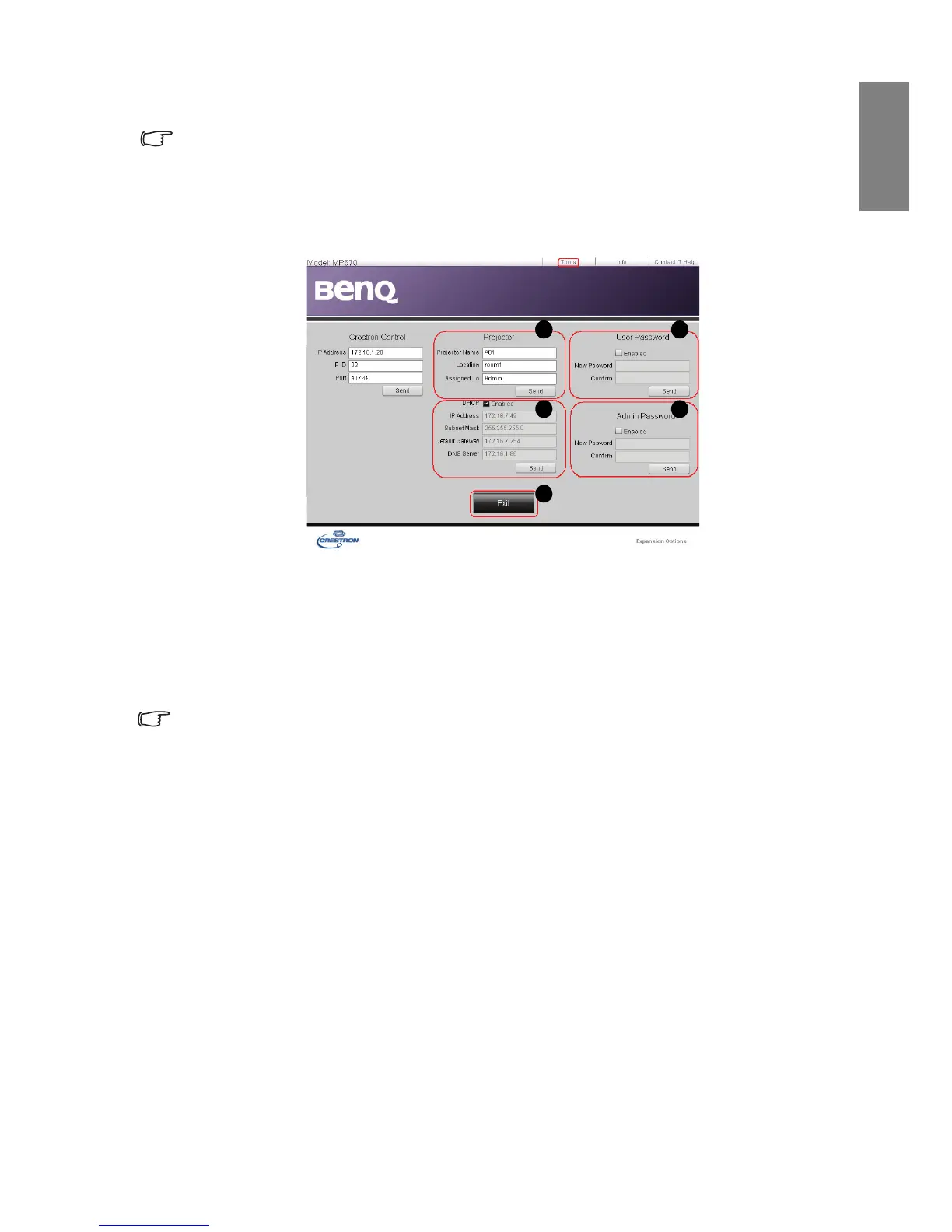
The tools page allows you to manage the projector, configure the Lan control settings and
secure access of remote network operation on this projector.
i. You can name the projector, keep track of its location and the person in charge of
it.
ii. You can adjust the Lan Control Settings.
iii. Once set, access to the remote network operation on this projector has been
password-protected.
iv. Once set, access to the tools page has been password-protected.
After making the adjustments, press the Send button and the data will be saved in the
projector.
v. Press Exit to go back to the remote network operation page.



 To Next Page