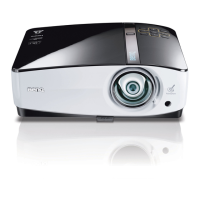
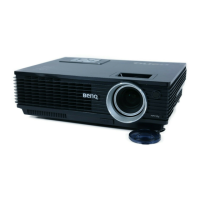
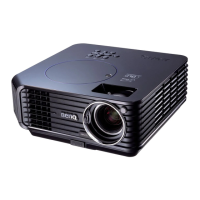
This document describes the BenQ MP778/MP780 ST Digital Projector, a high-performance optical engine projector designed for reliability and ease of use.
Function Description
The projector is capable of displaying images from various sources, including computers, video devices, and USB storage. It supports HDMI for high-definition multimedia, LAN for network control and display, and USB for direct computer connection or reading from flash drives/HDDs. The MP780 ST model also features PointDraw™ pen interactive projection, allowing for interactive presentations. It offers WXGA resolution, providing 30% more image area compared to XGA, and a short throw lens for larger images at shorter distances. The MP778 model features a big zoom ratio (1.6x) for installation flexibility.
The projector includes built-in speakers (10W x2) and a microphone input, potentially eliminating the need for external audio systems in educational settings. It has a variable audio output and can mute the built-in speaker when an external audio output is connected.
Usage Features
The projector offers a user-friendly experience with multi-language On-Screen Display (OSD) menus for easy navigation and adjustments.
Image and Display:
- Auto-adjustment: Automatically determines the best picture timings for the displayed image.
- Keystone correction: Manually corrects distorted images resulting from angled projection.
- Aspect ratio selection: Allows users to choose the desired display aspect ratio.
- Picture setup modes: Provides various modes to optimize image quality.
- Wall color correction: Enables projection on surfaces of several predefined colors, adjusting the image for optimal viewing without a screen.
- 3D color management: Allows for fine-tuning of color adjustments.
- Digital keystone correction: Corrects distorted images.
- Adjustable color balance control: For both data and video display.
- Magnifying and searching: Users can zoom in and out of the projected image.
- Hiding and freezing the image: Temporarily turns off the lamp or freezes the current display.
- Startup screen: Users can create their own custom startup screen.
Connectivity and Control:
- Multiple input sources: Supports HDMI, VGA (COMPUTER 1/2), S-Video, Video, Component Video (YPbPr/YCbCr), USB (mini-B and A type), and LAN (RJ45).
- Network display: Allows for controlling the projector through a LAN environment and displaying images via Q Presenter.
- Remote Desktop Control: Available through Q Presenter.
- USB Reader: Can display content directly from USB flash drives or HDDs.
- Remote control: Features dedicated buttons for power, source selection, menu navigation, keystone adjustment, zoom, volume, mute, aspect ratio, and a laser pointer for presentations.
- Panel key lock: Prevents unauthorized changes to settings.
- Presentation timer: Helps manage time during presentations.
- Quick auto search: Speeds up signal detection.
- Password protected function: Enhances security.
- 12V DC output terminal: Used to trigger external devices like electric screens or light controls.
Presentation Tools:
- Laser pointer: Integrated into the remote control for professional presentations. Users are advised to use it responsibly and keep it out of reach of children.
- PointDraw™ Pen (MP780 ST only): Enables interactive projection, allowing users to draw and interact directly with the projected image.
Power Management:
- Switchable normal and economic modes: Reduces power consumption.
- Less than 1 W power consumption: In standby mode.
- Quick cooling function: Allows the projector to cool down faster.
- Standby Monitor Out function: Allows the monitor to remain active even when the projector is in standby mode (requires activation in settings).
Maintenance Features
Lamp Management:
- Lamp cover: Provides access for lamp replacement.
- Lamp indicator light: Indicates the status of the lamp and signals problems.
- Lamp cooling: The projector requires approximately 45 minutes to cool down before the lamp assembly can be safely removed for replacement.
- Lamp life: Users are advised not to operate lamps beyond their rated life to prevent breakage.
- Lamp replacement: Only qualified service personnel should replace the lamp assembly or any electronic components, and the projector must be unplugged before doing so.
General Care:
- Cleaning: The manual provides instructions for caring for the projector.
- Temperature indicator light: Lights up red if the projector's temperature becomes too high, indicating a potential issue.
- Power stability: In areas with fluctuating or unstable mains voltage, it is recommended to connect the projector through a power stabilizer, surge protector, or uninterruptible power supply (UPS).
- Ventilation: Proper ventilation is crucial. Users should ensure at least 50 cm clearance from walls and avoid blocking ventilation holes to prevent overheating and potential fire hazards. The projector should not be placed on soft surfaces or covered.
- Placement: The projector should always be placed on a level, horizontal surface during operation. Tilting it beyond specified angles (10 degrees left/right, 15 degrees front/back) can cause malfunction or damage to the lamp. It should not be placed in poorly ventilated, excessively hot (above 40°C/104°F), humid, dusty, or smoky environments, or at altitudes higher than 3000 m (10000 feet).
- Physical handling: Users should avoid placing objects on the projector, stepping on it, or standing it on end vertically, as this can cause damage or injury. Liquids should be kept away from the projector.
- Disassembly: Users are strictly warned not to attempt to disassemble the projector, as it contains dangerous high voltages. Only the lamp is user-serviceable.
- Ceiling mount: If ceiling mounting, it is strongly recommended to use a proper BenQ Ceiling Mount Kit and ensure secure installation. A Kensington lock compatible security cable is also recommended as a secondary restraint.
Remote Control Battery:
- Replacement: Instructions are provided for replacing the AAA batteries in the remote control, emphasizing correct polarity.
- Battery care: Users are advised to avoid excessive heat and humidity, replace batteries with the same or equivalent type, dispose of used batteries properly, and remove batteries if the remote control will not be used for an extended period to prevent leakage.

 Need help?
 General

 To Next Page