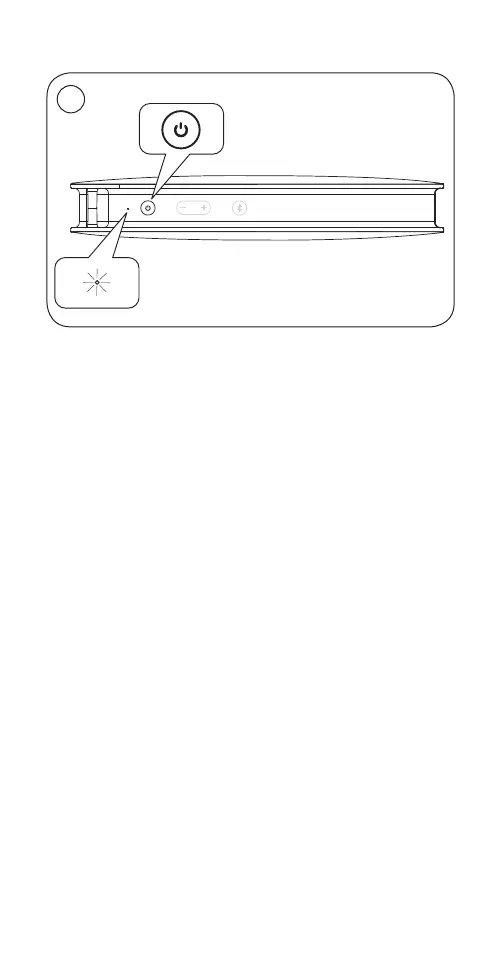
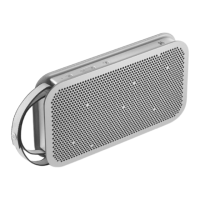
EN Press the power button to switch BeoPlayA2 on. The
product indicator turns solid white.
For first-time setup continue to step 3.
S Tryck på strömknappen för att sätta på BeoPlayA2.
Produktens indikator börjar lysa med fast vitt sken.
För förstagångs-inställning, fortsätt till steg3.
DA Tryk på tændknappen for at tænde BeoPlayA2
Produktindikatoren lyser hvidt.
Fortsæt til trin 3 ifm. førstegangsopsætning.
DE Drücken Sie die Power-Taste, um BeoPlayA2 einzuschalten.
Die Geräteanzeige leuchtet durchgehend weiß.
Bei Erstinbetriebnahme weiter mit Schritt 3.
NL Druk op de aan/uit-knop om de BeoPlay A2 in te schakelen.
De productindicator blijft wit branden.
Ga verder naar stap 3 om de instelling voor het eerste
gebruik in te stellen.
FR Appuyez sur le bouton d’alimentation pour allumer le
BeoPlayA2. L’indicateur d’état s’allume en blanc de façon
permanente.
S’il s’agit de la première installation, passez à l’étape3.
ES Pulse el botón de encendido para encender BeoPlayA2. El
indicador del equipo se iluminará en color blanco.
Si está configurando el equipo por primera vez, pase al
paso 3.
Bluetooth
®
pairing …
4
1


 To Next Page