Battery – indicator
When in battery mode, green light
indicates that the power level of
the battery is high. Orange light
indicates medium power level of
the battery and the battery needs
to be charged soon. Red light
indicates that the power level of
the battery is low and the battery
needs to be charged. If there is no
battery power left, there is no
indicator light.
When connected to the mains,
no light indicates that the battery
is fully charged. Green light
indicates that the battery level is
charged to a high level. Orange
light indicates that the battery is
charged to a medium level. Red
light indicates
that the battery is
almost discharged.
BeoPlay A3 is charged within the
temperature range of 10– 40°C
(50°F–105°F).
Speaker settings
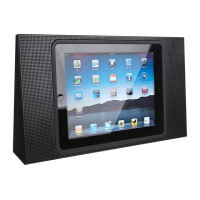
When your iPad is docked in
BeoPlayA3, you can make speaker
settings.
> Select ‘Settings’ on your iPad.
> Select ‘Speakers’. Options are
‘Flat’ and ‘Speech’. With ‘Flat’ no
additional filtering is applied to
the audio signal. With ‘Speech’
filtering is applied to the signal
to improve intelligibility of speech.
>> How to operate BeoPlay A3


 To Next Page